Overview
Company: NotaryPro, one of North America's leading notarization services. Digital document commissioning, remote online notarization (RON), and identity verification for consumers and businesses across Canada. Founded on accessibility, trust, and transparency, and pioneered transparent, standardized pricing across Canada. Platform supports thousands of notarizations a month and powers integrations across legal, construction, insurance, and financial services. Now expanding into the US.
Why I looked at this: NotaryPro's Canadian funnel already works well, it answers “can this be done online” upfront and converts well. The US expansion is newer and structurally harder to pull off, since notarization law is set state by state rather than nationally. A working funnel sitting next to a newer one still finding its footing is a useful teardown on its own: what makes the Canadian version convert, and what it would take to close the gap in the US.
Industry
Remote online notarization (RON) is a genuinely growing category, not a mature one. The global market was valued at roughly $1.5 billion in 2024, with most forecasts putting it at an 18 to 20% CAGR through the early 2030s, reaching somewhere in the $6 to 7 billion range by 2033. Verified Market Reports and Data Insights Market both point the same direction: cloud-based, self-serve RON is the fastest-growing slice of a broader notary market that includes mobile and in-person notary work. Growth is being pulled by real estate, legal services, and financial services all wanting faster, lower-friction document turnaround, exactly the verticals NotaryPro already lists as its integration partners.
The structural reason Canada converts better than the US. Notarization law in the US is set state by state, not federally, and there is no single national standard. Over 45 states have now passed some form of RON legislation, but each state sets its own rules on identity verification, session recording and retention, notary commissioning, and fees. Florida specifically authorized RON back in January 2020 under Florida Statutes Chapter 117, Part II: it requires multi-factor identity verification, the full session recorded and retained for 10 years, and RON providers to be registered with the Florida Department of State. The statutory fee cap for the notarial act itself is $25, though platforms layer their own service fee on top. New Florida notaries also need a 3-hour general course plus a separate, RON-specific 2-hour course before they can practice online. None of that exists as a single national layer, so a platform expanding from Canada into the US isn't porting one flow, it's building (or configuring) a flow that can flex per state. That's a very plausible structural driver of the US conversion friction, on top of anything experiential in the product itself.
Canada's picture is comparatively simpler: notarization and commissioning authority sits with the provinces, but there's no equivalent patchwork of RON-specific statutes the way the US has developed state by state since 2020. That's very likely part of why NotaryPro could standardize pricing and process across Canada in the first place, and why the same playbook doesn't automatically transfer south.
Documentation: What Can and Cannot Be Notarized Online.
Surface-level comparison only, no state-by-state breakdown for the US side yet, that's a follow-up if it becomes relevant. Canada's list below is reproduced directly from the notarypro.ca eligibility accordion (see Canada Teardown above). The US column is general RON-landscape knowledge, not NotaryPro's own US eligibility list, useful mainly to see where the two markets structurally diverge.
| Category | Canada (notarypro.ca) | United States (surface level) |
|---|---|---|
| Governing structure | Notarization and commissioning authority sits with the provinces. No separate RON-specific statute patchwork the way the US has built since 2020, which is very likely part of why NotaryPro can standardize pricing and process nationally in Canada. | Notarization law is set state by state, not federally. RULONA is a model law, not mandatory. As of August 2026, 49 states plus DC have RON legislation, California is the lone holdout, with a statute effective January 1, 2030. Remotely notarized documents are generally accepted in all 50 states under interstate recognition, even where a state hasn't enacted its own RON statute, so where RON is legislated and where the documents are valid are two different questions, useful if anyone conflates the two. Source |
| Wills & Powers of Attorney | Must be physically signed with wet ink. NotaryPro offers a virtual witnessing service, a notary observes the physical signing over video, but the document itself still can't be commissioned fully online. | Commonly restricted or carry extra safeguards even in states that otherwise allow RON. Some states exclude estate-planning instruments (wills, trusts, POAs) from RON outright, others allow it with added verification. Restriction is state-specific, not a blanket national rule. Source |
| Real estate, deeds, bills of sale | Documents of title (bill of sale, deed) are explicitly excluded from online commissioning, in-person appointment required, with a narrow carve-out for contracts of carriage under Ontario's Electronic Commerce Act. | Allowed via RON in principle in many states, but county recording offices, title insurers, or individual state statutes can still require in-person signing or add verification steps. Varies enough by state and by recording jurisdiction that it isn't a clean yes or no. Source |
| Certified true copies of documents | Explicitly cannot be done online, requires an in-person notary appointment to certify a physical document like a birth certificate. | Not a standard notarial act in most US states at all. “Certified true copy” is largely a Canadian and common-law notary function, the closer US equivalent is a custodian-of-records certification from the issuing agency, not something a notary public performs. |
| Everyday consumer documents | Long explicit list cleared for online eSigning, no wet ink: affidavits, statutory declarations, travel consent letters, separation and divorce agreements, name-change applications, insurance claims, common-law status affidavits, invitation letters, pension attestations, residency documents, PR card applications, and more. | Broadly available via RON in the 49 states plus DC that allow it. General affidavits and statutory declarations are the core, uncontroversial RON use case nationwide, this is where US and Canadian eligibility overlap most closely. |
| Passport-related documents | Explicitly excluded: statutory declaration in lieu of guarantor, lost passport declarations, passport applications in lieu of guarantor. In-person only. | Not a comparable category. US passport applications route through acceptance facilities and USPS, not a commissioned affidavit the way Canadian passport-guarantor declarations work, so there's no direct US equivalent to compare against. |
Why this matters for the role. The clean, single-list-per-country presentation on notarypro.ca (see the eligibility accordion in Canada Teardown) is something the US site doesn't have yet, and the US column above shows why that's harder to build there: eligibility genuinely varies by state, so a US equivalent list can't just be Canada's list restated, it needs a state-selector or a heavily caveated version. Worth flagging as a concrete, scoped feature idea rather than a vague “improve US trust” suggestion.
Key Concepts: RON, Notarization Workflow & Identity Verification.
Domain vocabulary worth being fluent in for this space, since none of it is specific to a product I've shipped before.
- RON (Remote Online Notarization): a notarization performed over live audio-video instead of in person, with identity verified digitally and the notary's seal applied electronically. This is NotaryPro's core product mechanic.
- e-Notary / Electronic Notary: a commissioned notary authorized to notarize documents electronically, typically state-licensed (e.g. Virginia's e-Notary hiring push, a signal of real demand for the role). Licensing is state-specific in the US, unlike Canada's more centralized model.
- Identity verification (IDV): the step confirming a signer is who they claim to be before a notary proceeds, usually a mix of government ID scan, knowledge-based authentication, and live video confirmation. A likely source of US-specific friction if vendors or requirements differ from Canada.
- State-by-state RON legislation: unlike Canada's provincial rules, US RON law varies by state, some states have no RON statute at all, others have specific vendor, recording, or notary-commissioning requirements. This is almost certainly a structural driver of the US conversion gap.
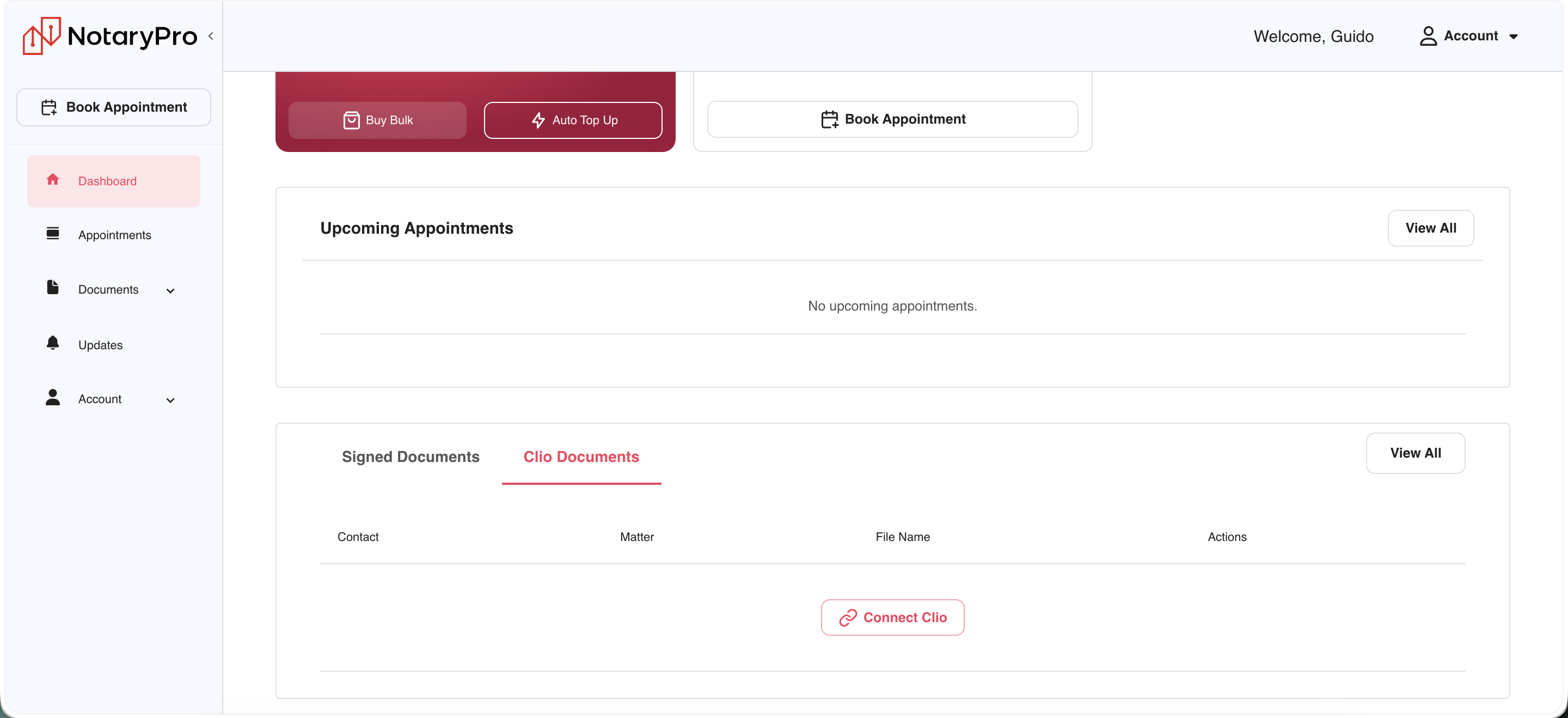
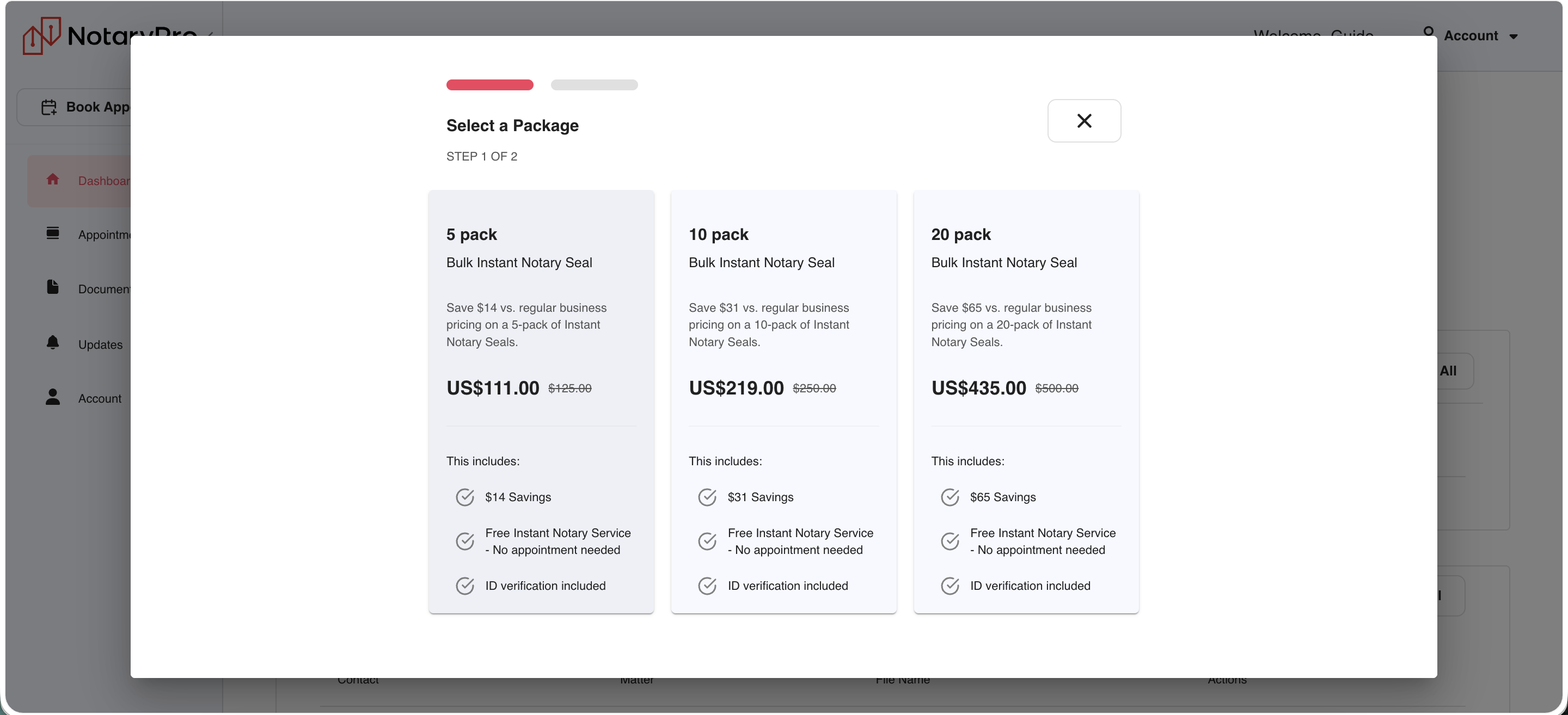
- Client Workspace: NotaryPro's own B2B product, a platform for teams handling repeat or high-volume notarizations, with bulk credits, centralized billing and reporting, and integrations like Clio (legal practice management software). Directly relevant to the "enterprise integrations and APIs" and "partner platform integrations" areas named in the JD.
- PLG (Product-Led Growth): a growth model where the product itself, not sales or marketing alone, drives acquisition, activation, and expansion. This is directly NotaryPro's model. Worth having a point of view on what PLG means concretely for a notarization marketplace: self-serve signup, in-product upgrade paths (e.g. to Client Workspace), and usage-based expansion.
Placeholder. Expand this glossary once more is known: NotaryPro's specific tech stack for video/IDV, how CCDC forms and 9B declarations (construction-workflow documents referenced in their marketing) fit into the product, and any Florida-specific notary or e-closing regulations relevant to the expansion.
NotaryPro Teardown
Live walks of NotaryPro's own consumer flow, United States and Canada, each covered as its own subsegment below.
United States
Live walk of notarypro.com (the US site), consumer flow only, no internal data. Ten screenshots below, in the order encountered: homepage scroll, sign-in, and the four-step booking flow through payment.
Homepage, scrolled top to bottom


What I saw. The homepage leads with price and speed ($25, "in minutes") before it leads with trust, then backfills trust lower down (Trustpilot 4.7 to 4.8, about eleven thousand reviews, the exact count drifts with the live feed so it's worth rounding rather than quoting false precision in the room, BBB badge, 500K+ documents notarized). The four-step "how it works" and FAQ block do real work answering objections (is this legal, will it be accepted, what do I need) before asking for a commitment. Business Solutions (Client Workspace, effectively) is present but positioned as a single module halfway down the page, not a top-nav item, so a repeat/B2B buyer has to scroll to find their own entry point.
Why it matters. This is a self-serve, PLG-style page doing double duty for two very different buyers, a one-time consumer who wants speed and a low price, and a repeat B2B user who wants centralized billing and integrations, which is the exact tension flagged in the Competitor Analysis above. Burying the B2B path under a single scroll module means that segment likely isn't converting through the homepage at all, it's probably arriving through sales or word of mouth instead.
Sign-in and booking flow


What I saw. The booking flow is genuinely low-friction: four short steps, a persistent running price, a document upload that can be deferred, and a held time slot with a visible countdown so nobody loses their spot mid-payment.
Why it matters. The "I'll upload later" option is a meaningful conversion lever, buried as a small link on step 1 instead of a visible secondary action, most first-time users will assume upload is mandatory to proceed and may bounce if they don't have the document on hand yet. The Client Workspace sign-in living on a completely separate flow from booking (screenshot 6 vs. 7) also confirms the B2B and B2C products aren't cross-linked in the moment someone's actually transacting, reinforcing the same segmentation gap seen on the homepage.
The metric. Step-to-step drop-off across the 4-step flow (Upload → Who's signing → Schedule → Review & Pay), split by whether the user used "I'll upload later" versus uploaded immediately. If deferred-upload users convert at a meaningfully different rate, that's a direct, low-effort case for promoting that option out of a buried link.
Results
- Price-first homepage. Homepage leads with price and speed ($25, "in minutes") before trust, backfilling Trustpilot, BBB, and volume proof (500K+ documents) further down the page.
- FAQ pre-answers objections. The four-step "how it works" plus FAQ block pre-answers objections (legality, acceptance, requirements) before asking for a commitment.
- Business Solutions is buried. Client Workspace is a single scroll module halfway down the homepage, not a top-nav item, so a repeat B2B buyer has to hunt for their own entry point.
- Booking flow is low-friction. Four short steps, a persistent running price, a deferrable document upload, and a held time slot with a visible countdown.
- "Upload later" is buried. A real conversion lever but shown as a small link on step 1, most first-time users will assume upload is mandatory and may bounce without it.
- B2B and B2C never cross-link. Client Workspace sign-in lives on a completely separate flow from booking, confirming the two products don't meet at the moment someone's actually transacting.
- Promote "I'll upload later." Turn it into a visible secondary button on step 1 instead of a small link, hypothesis: recovers users who start booking without the document in hand.
- Add a Client Workspace entry point inside booking. E.g. on the review/pay step, "signing more than one document a month? Set up a Business Account," not just as a homepage module, to capture repeat B2B intent at the moment it's most obvious.
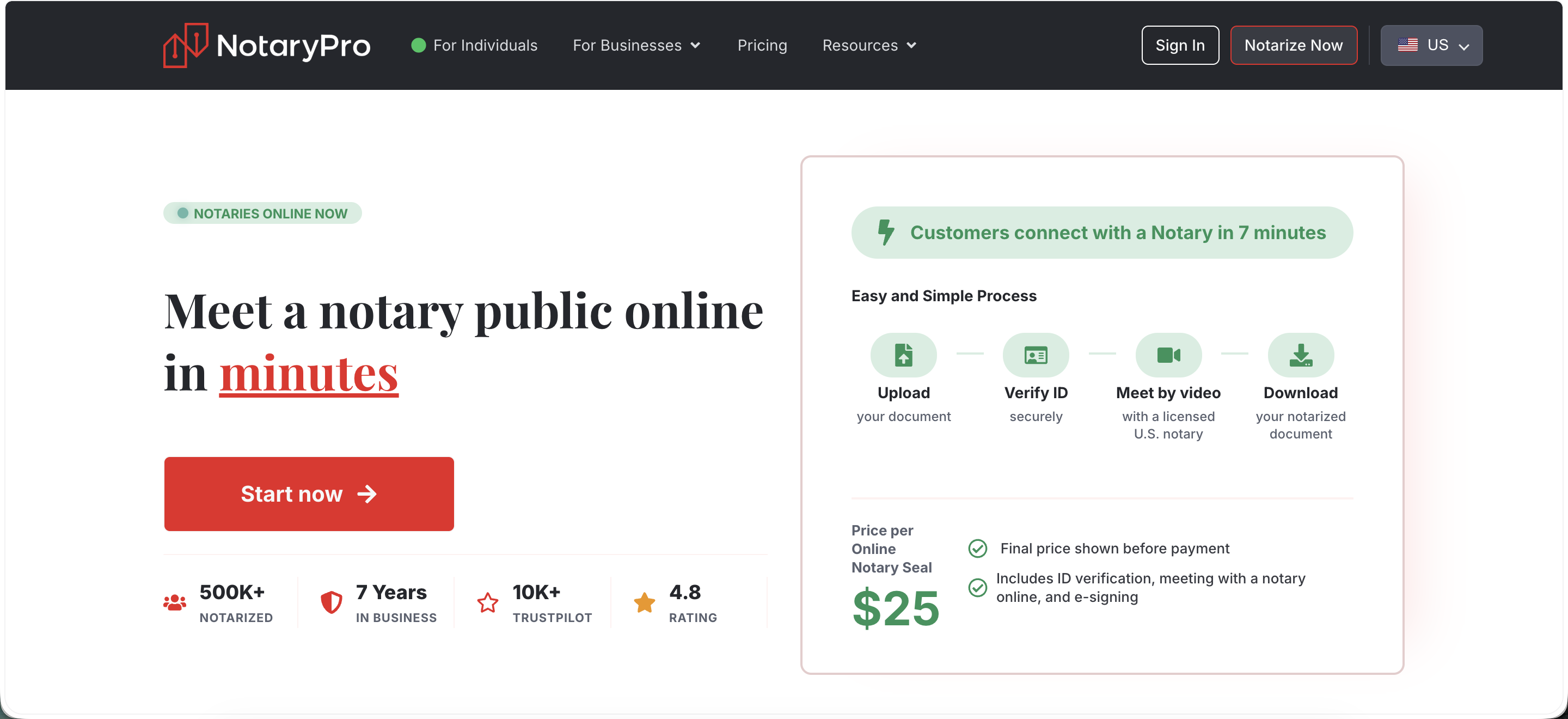
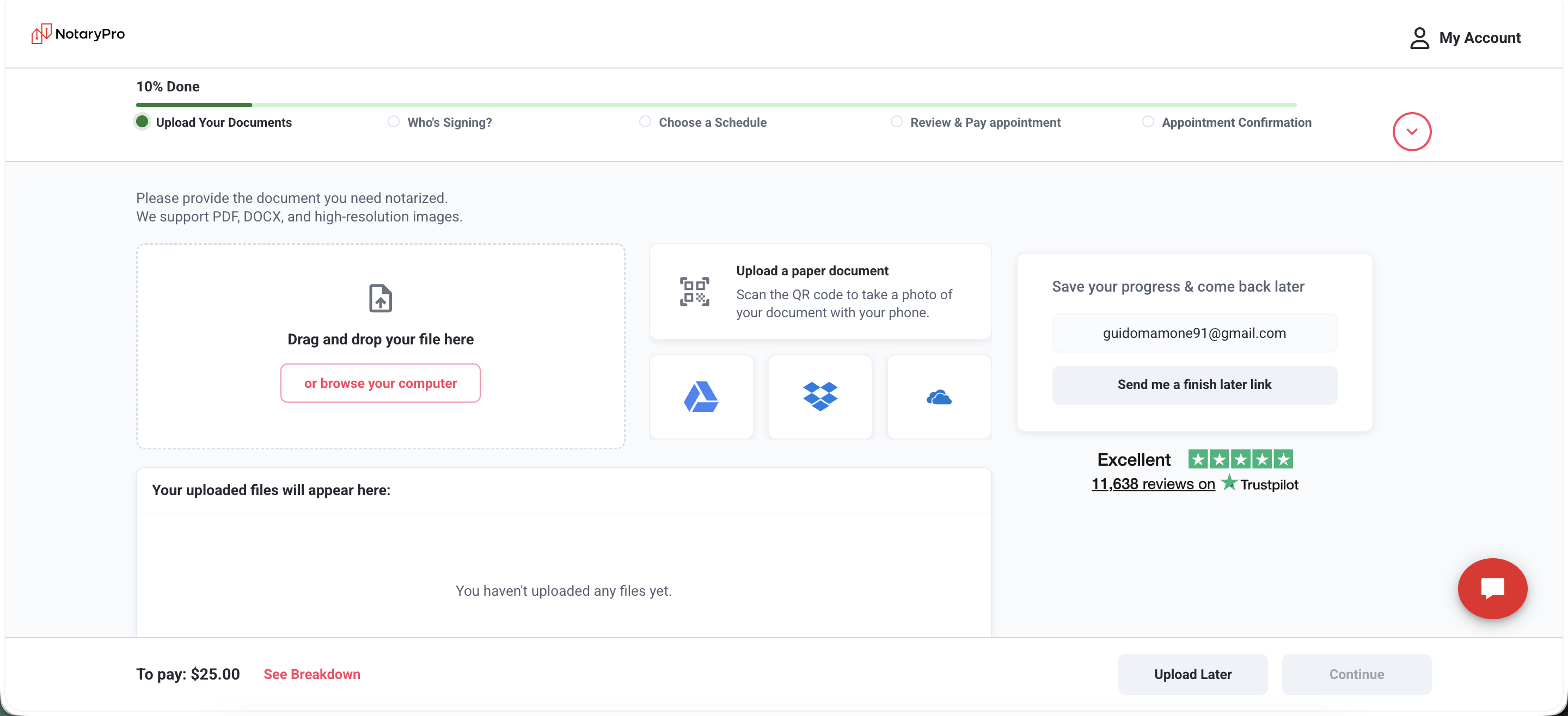
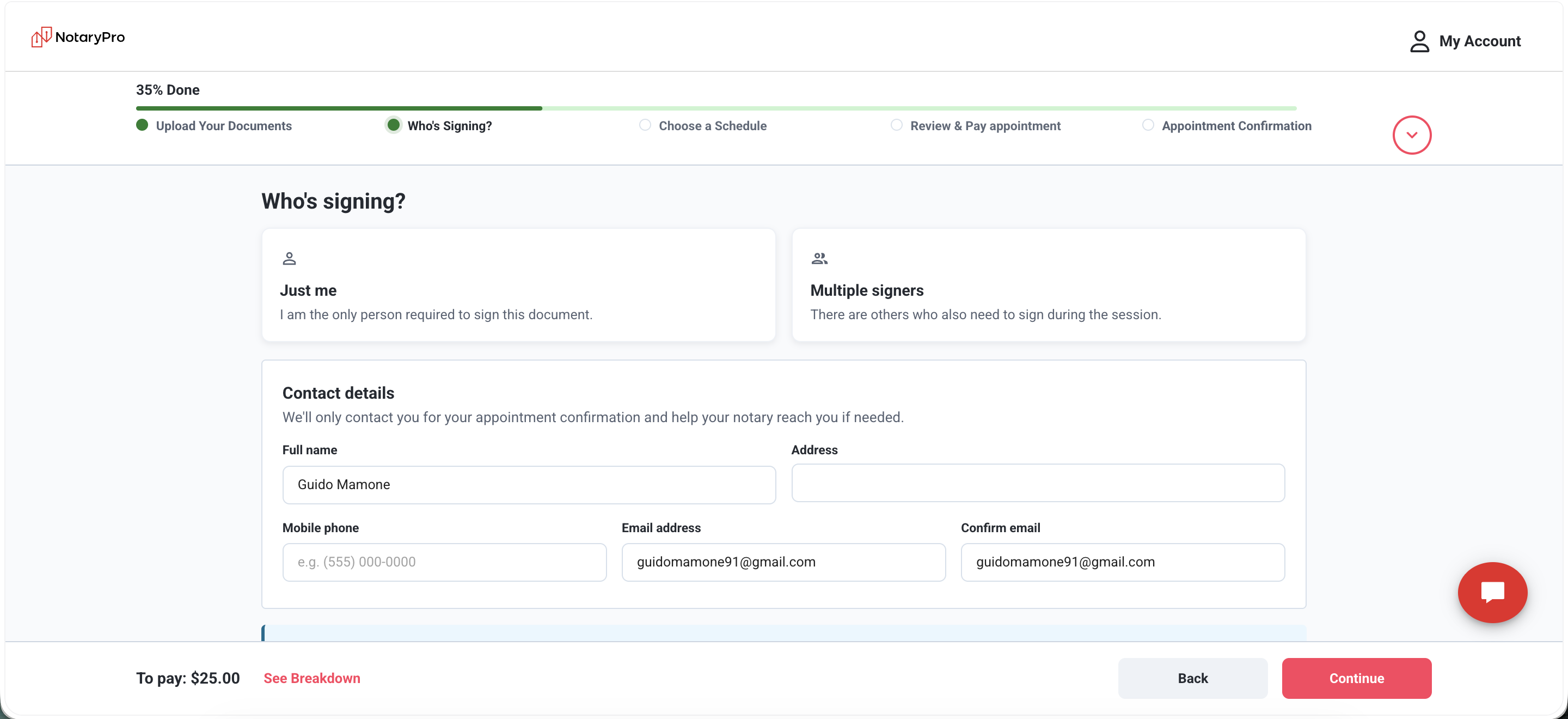
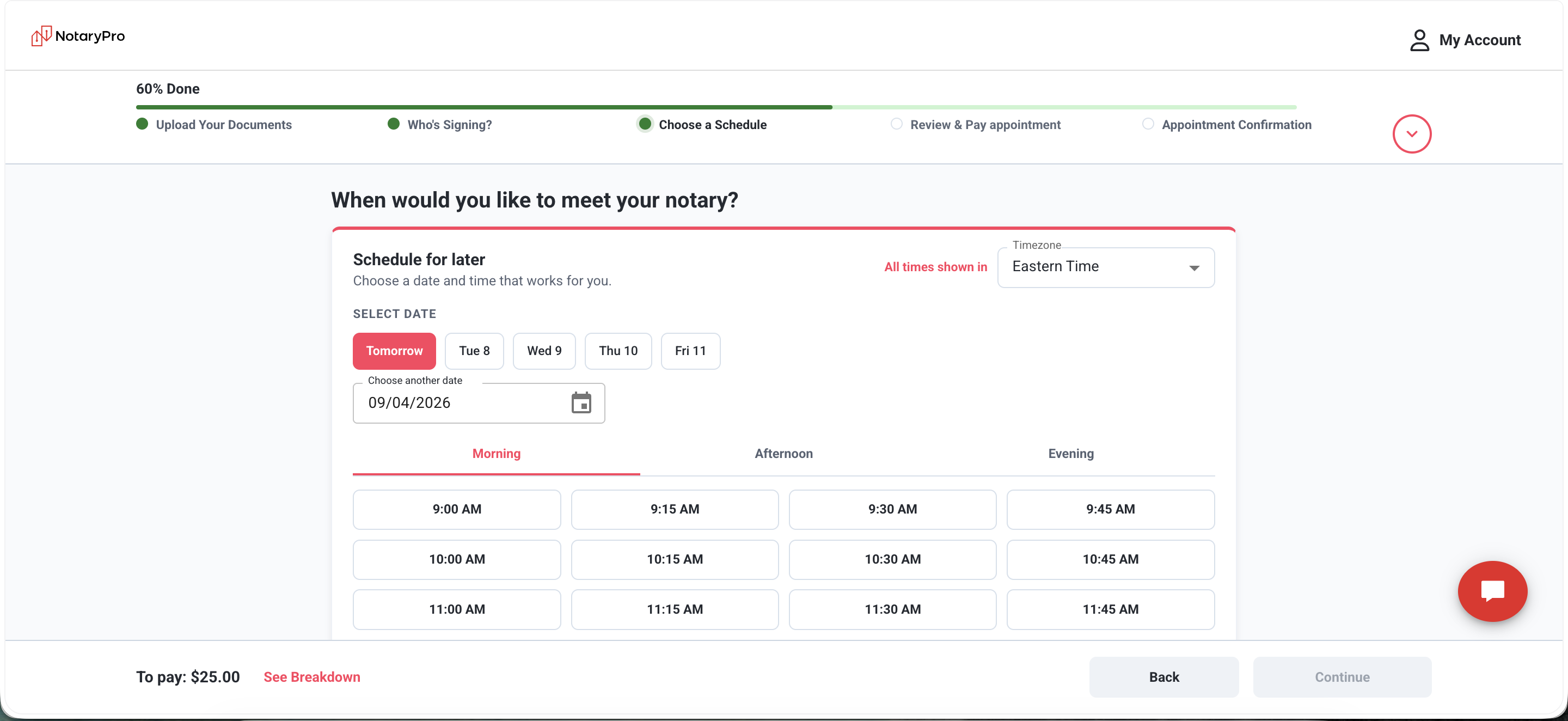
US Update (September 2026)
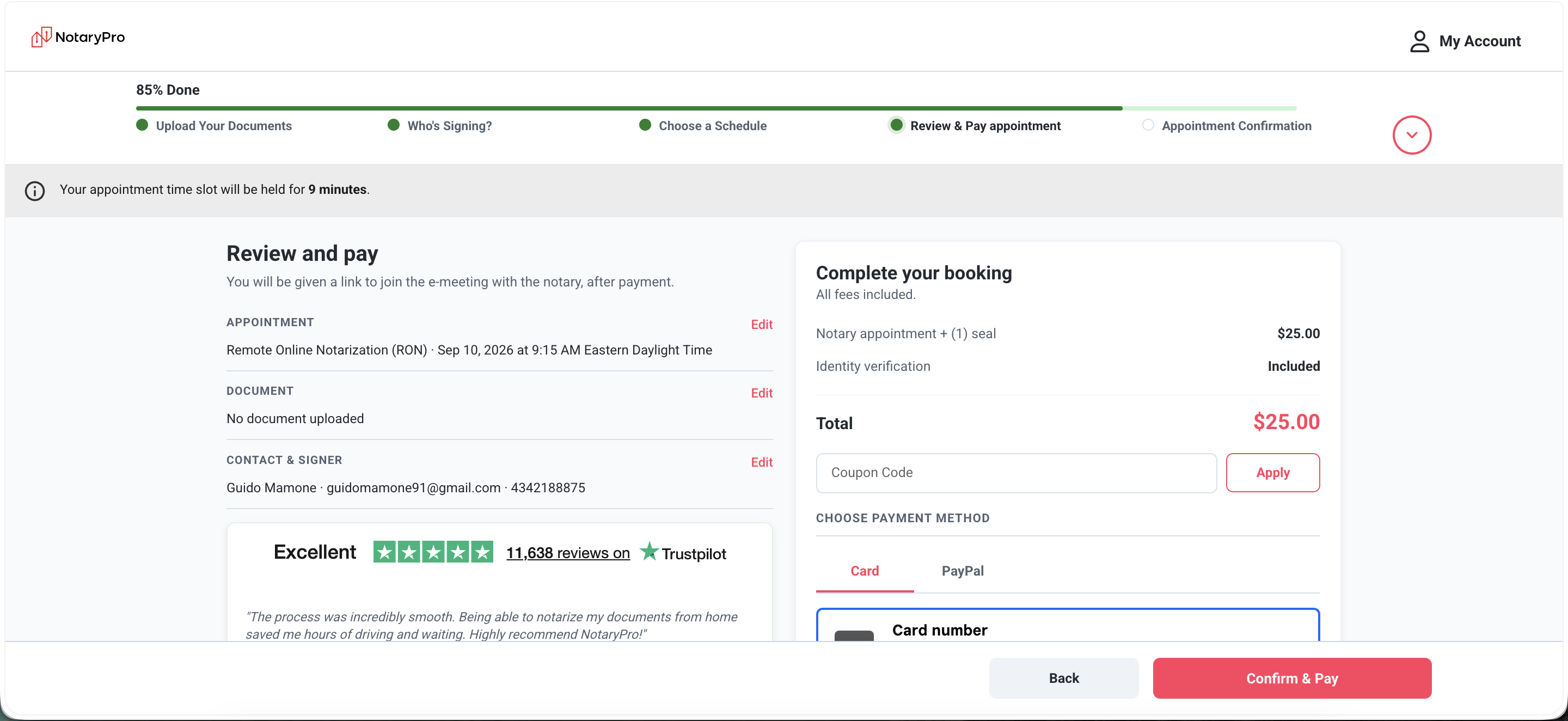
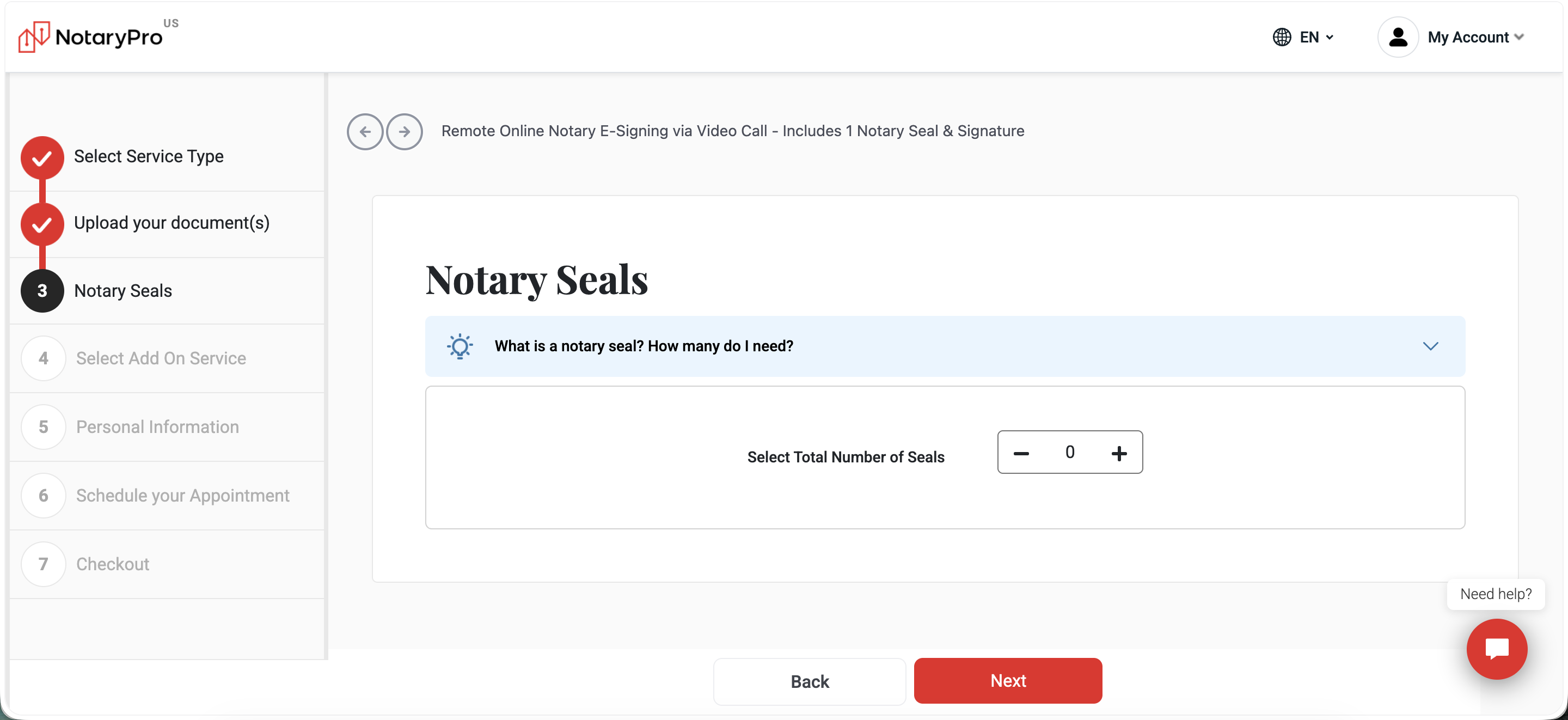
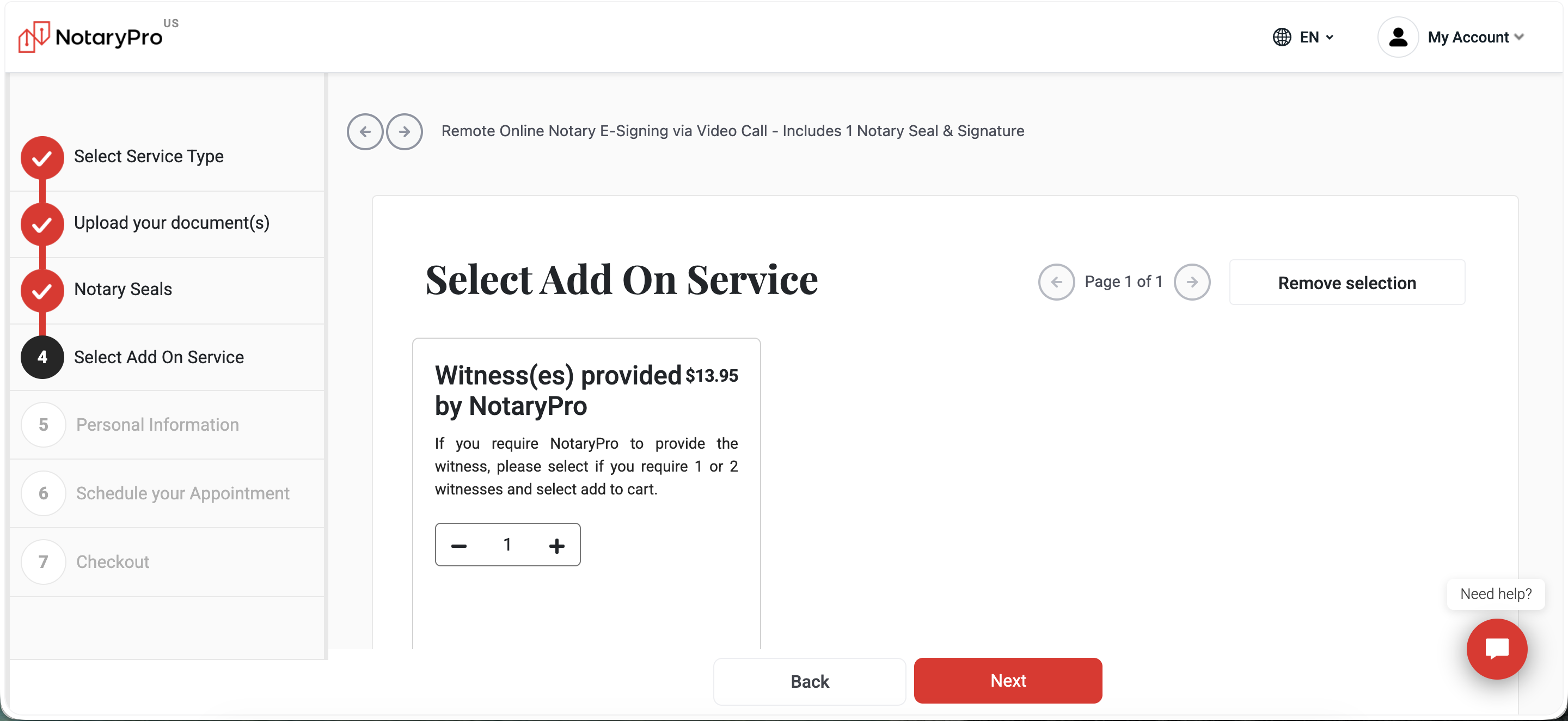
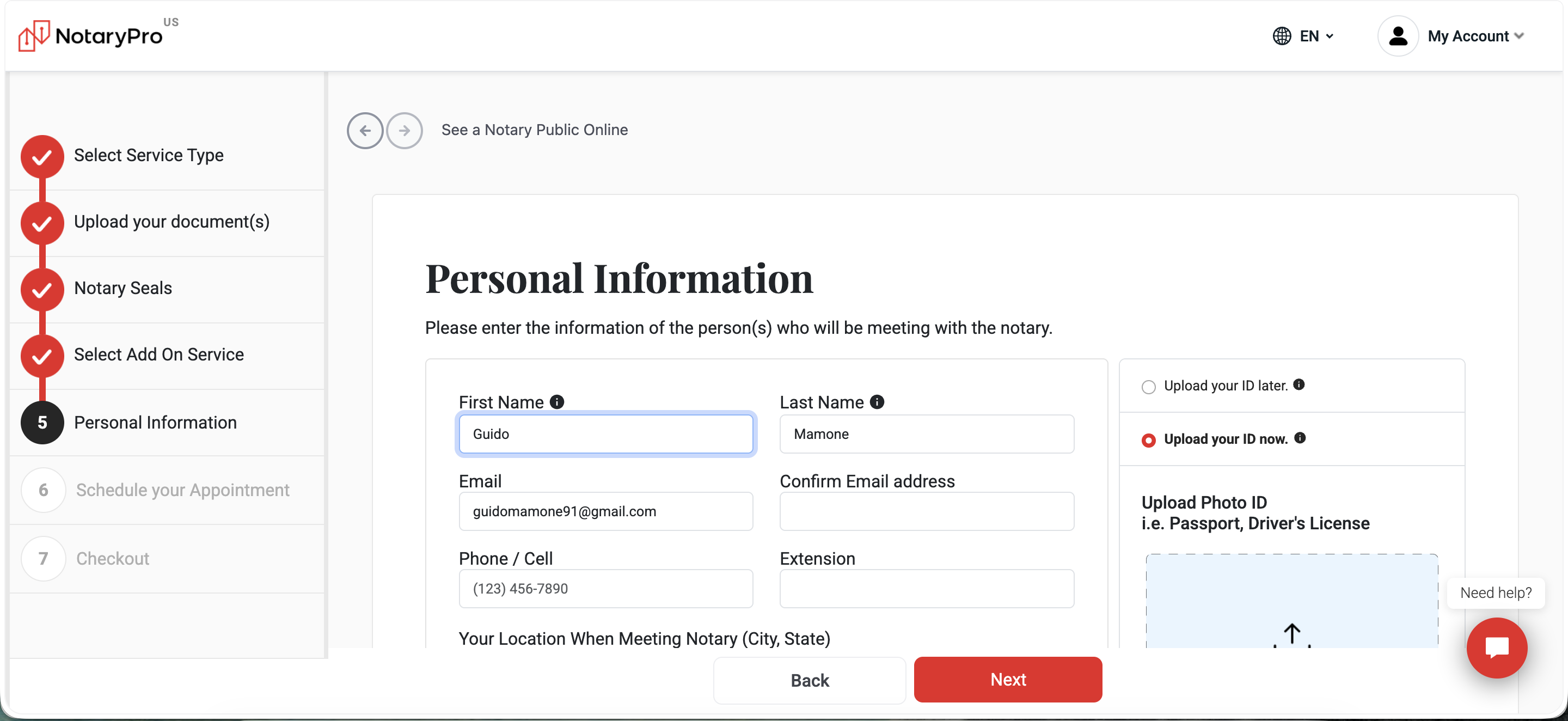
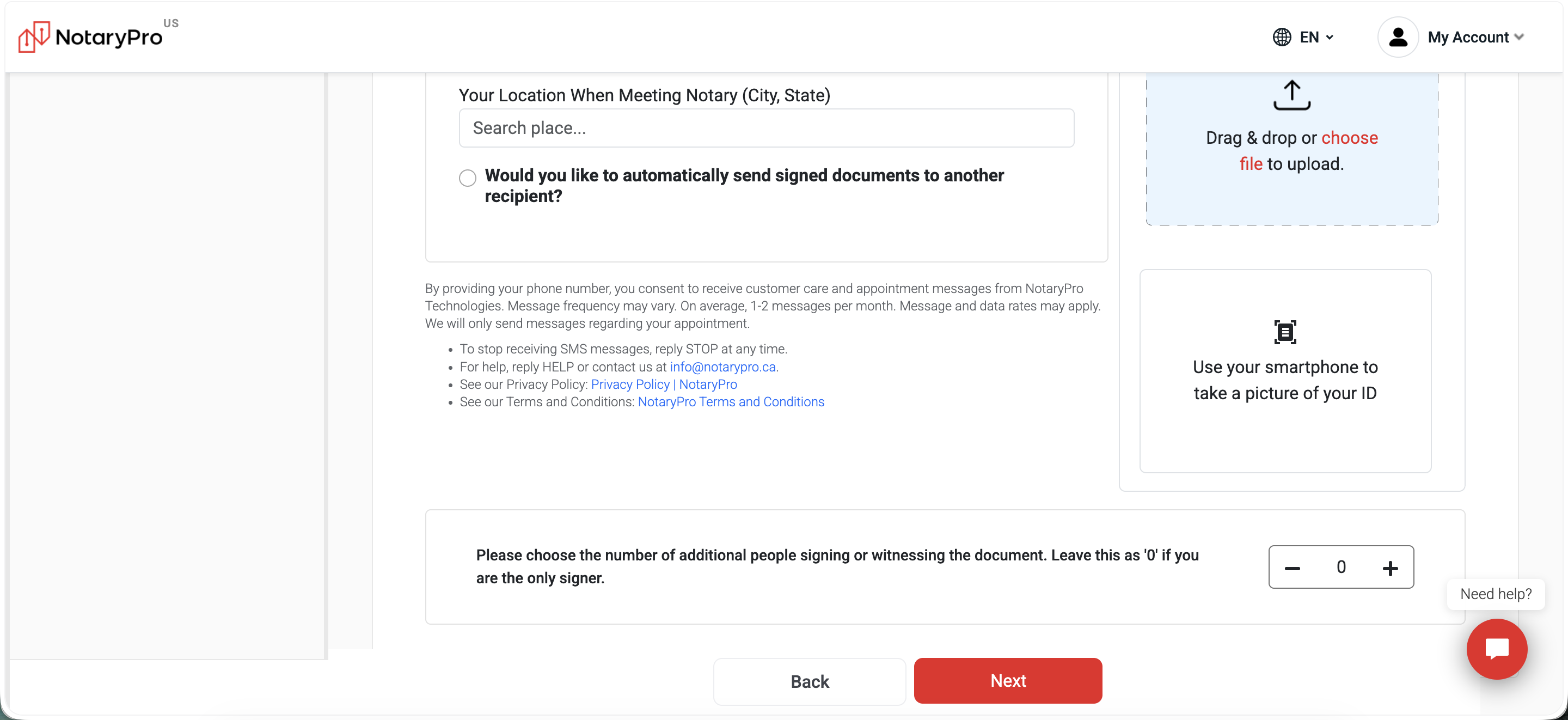
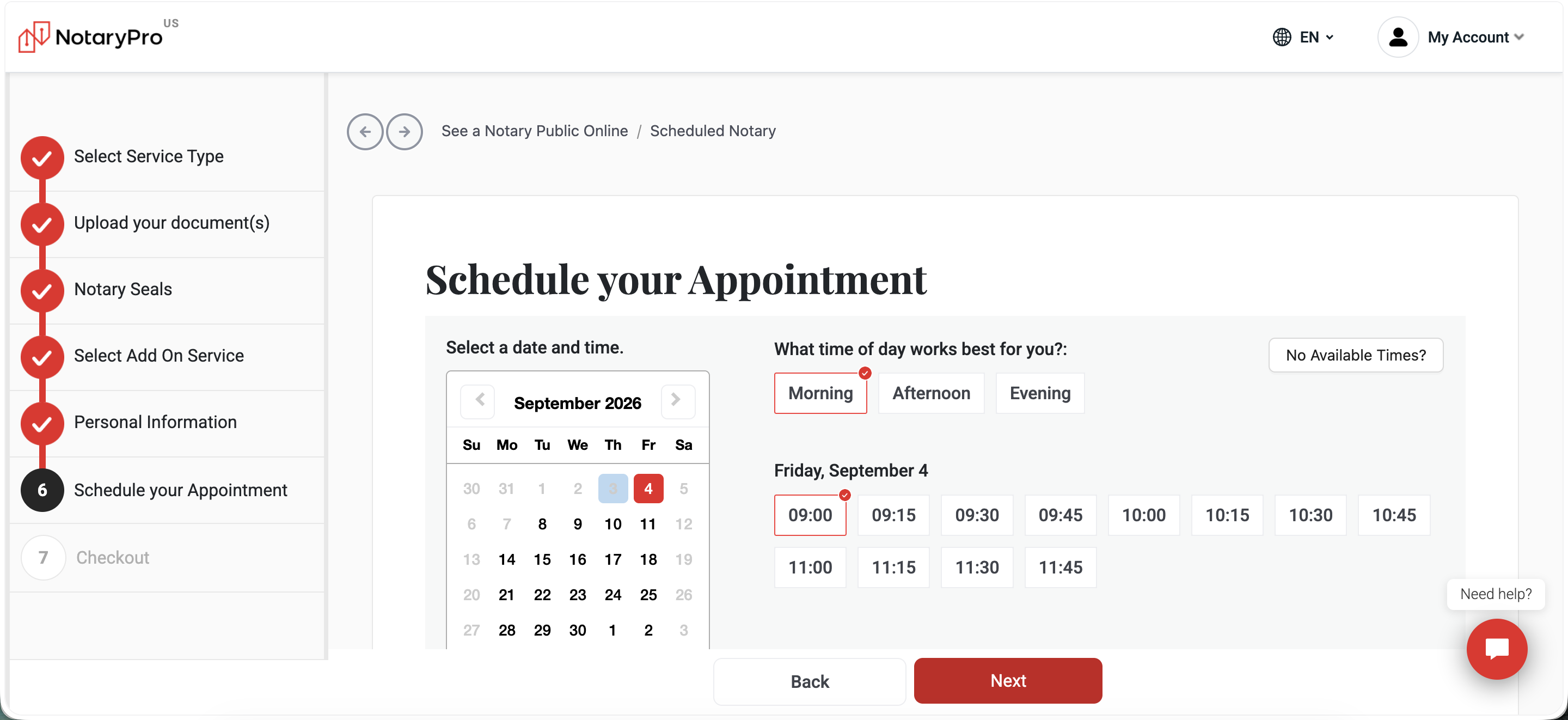
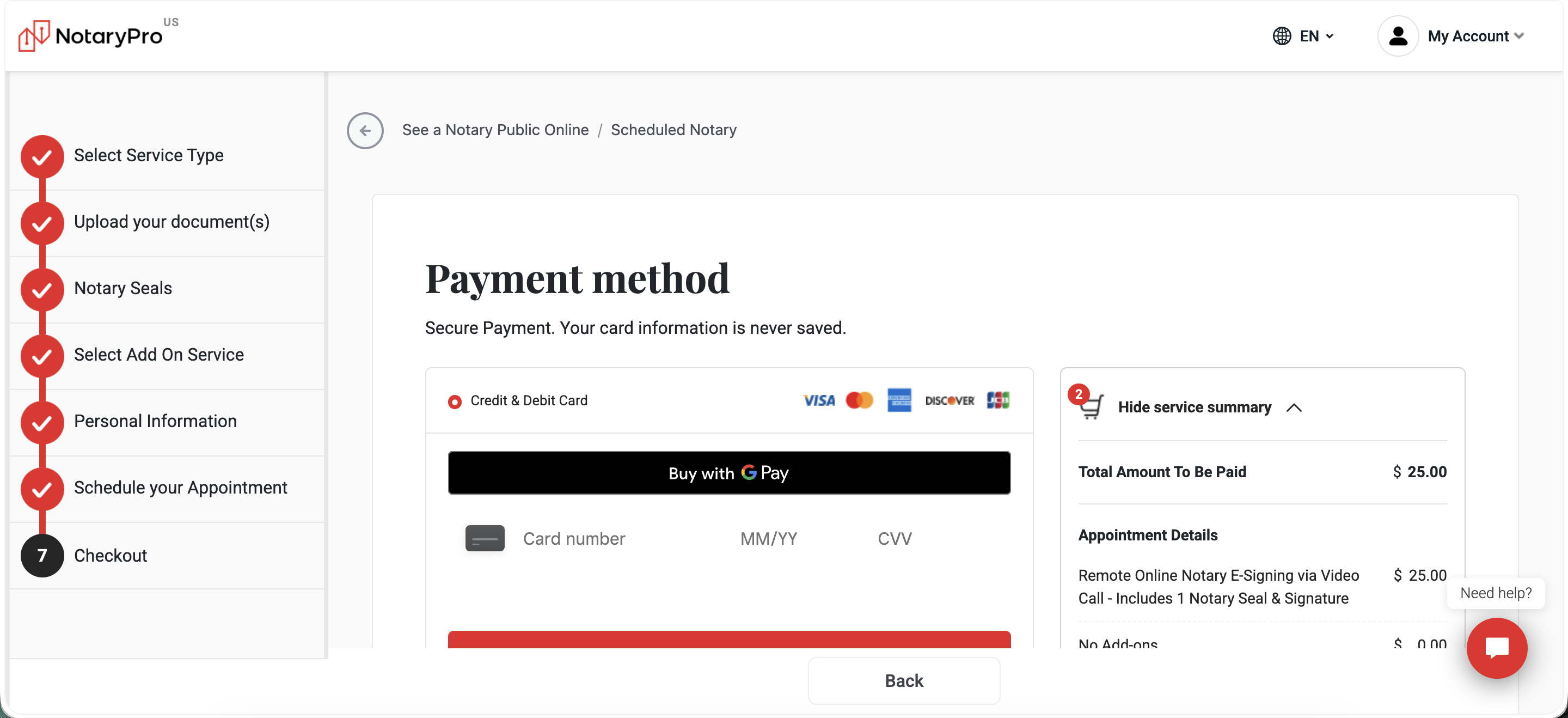
notarypro.com's consumer flow was redesigned since the original US teardown above. Same booking mechanics (upload → who's signing → schedule → review & pay), but with a new named 5-step progress bar and a save-and-finish-later option that wasn't there before. Screenshots below, not analysis yet.
B2B Client Workspace (Live Walk, September 2026)
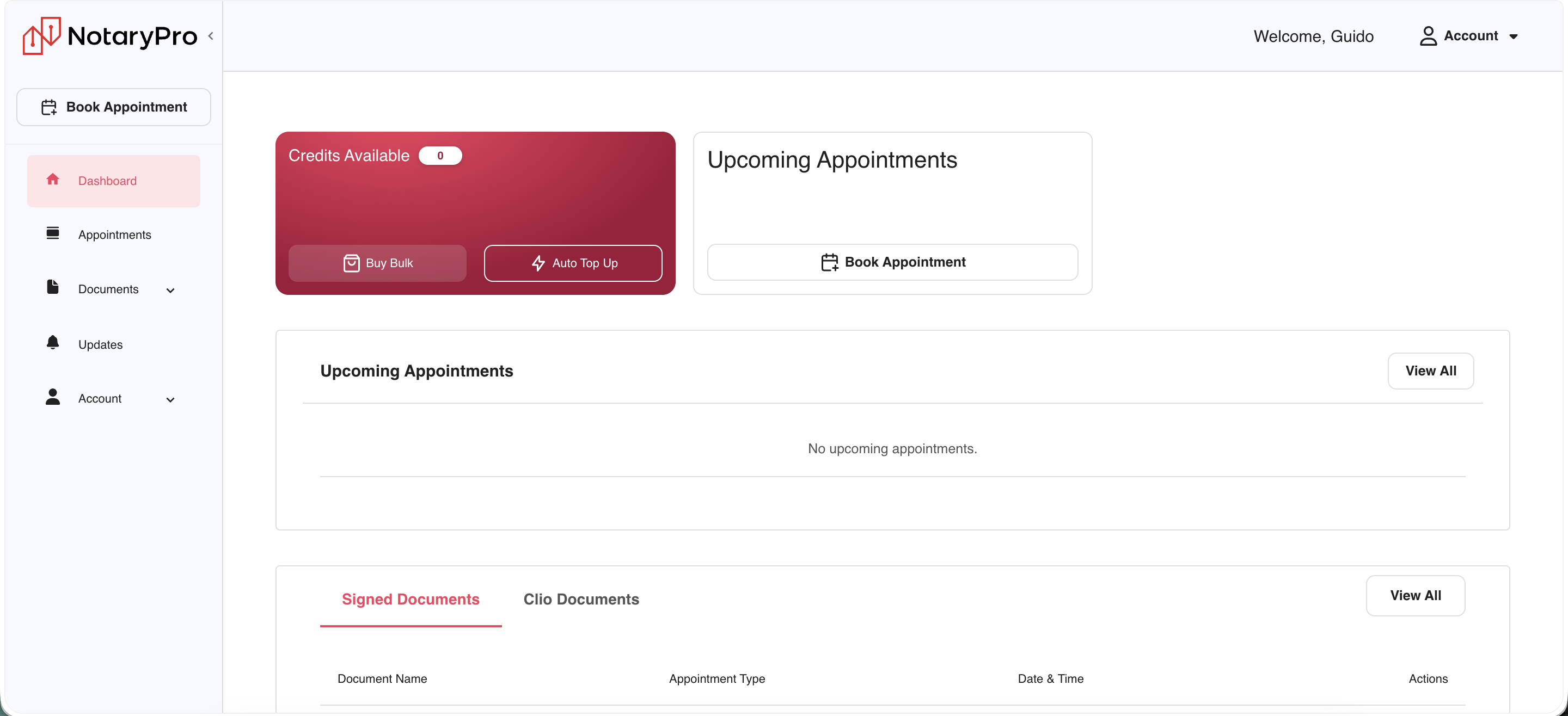
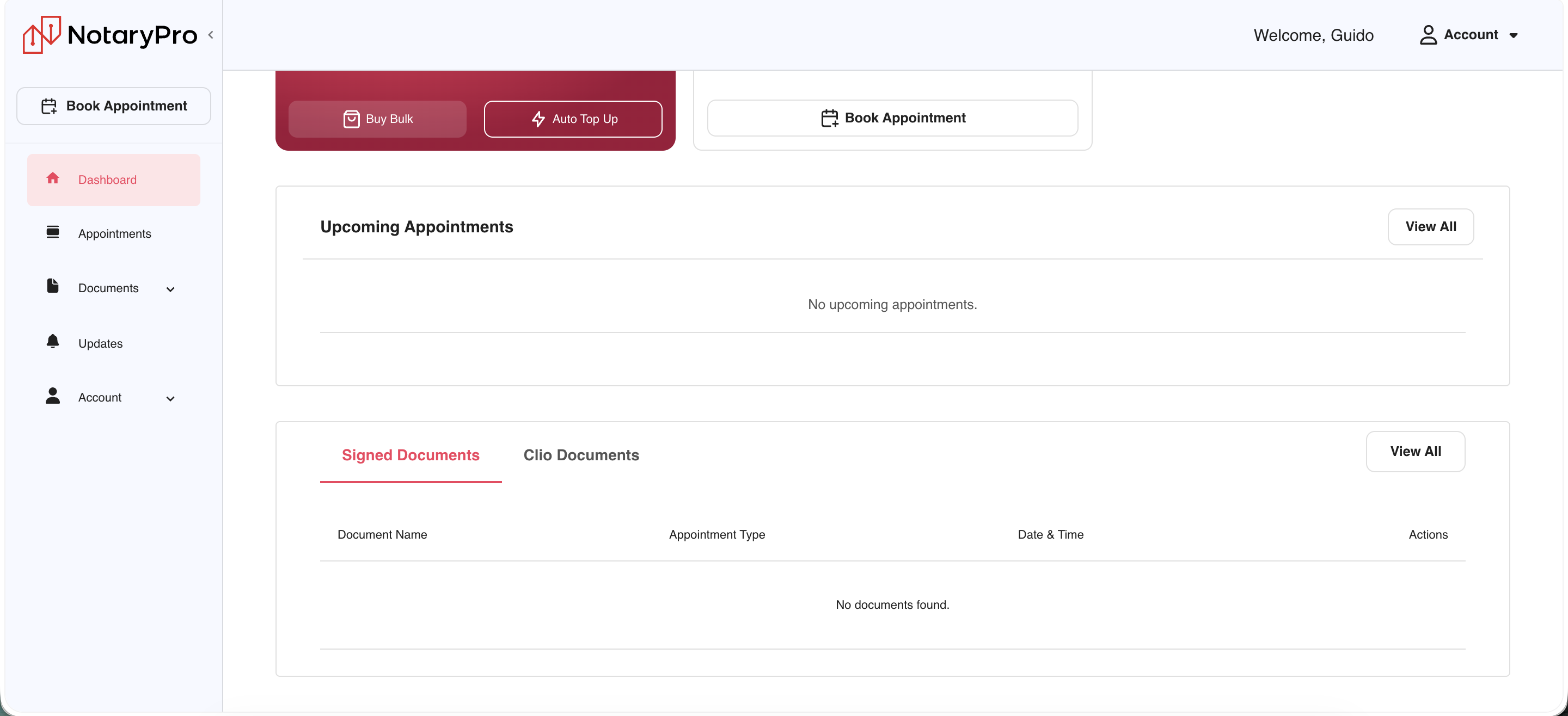
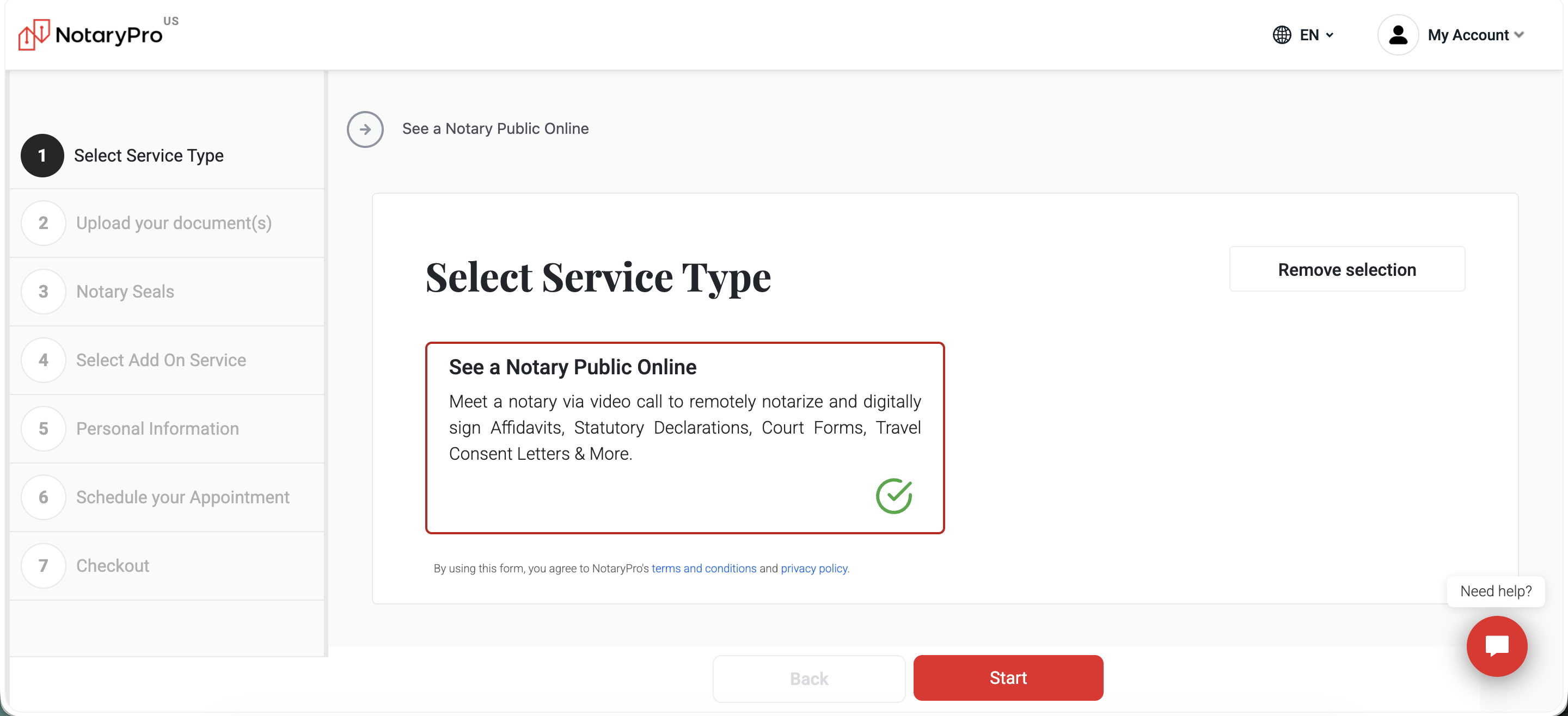
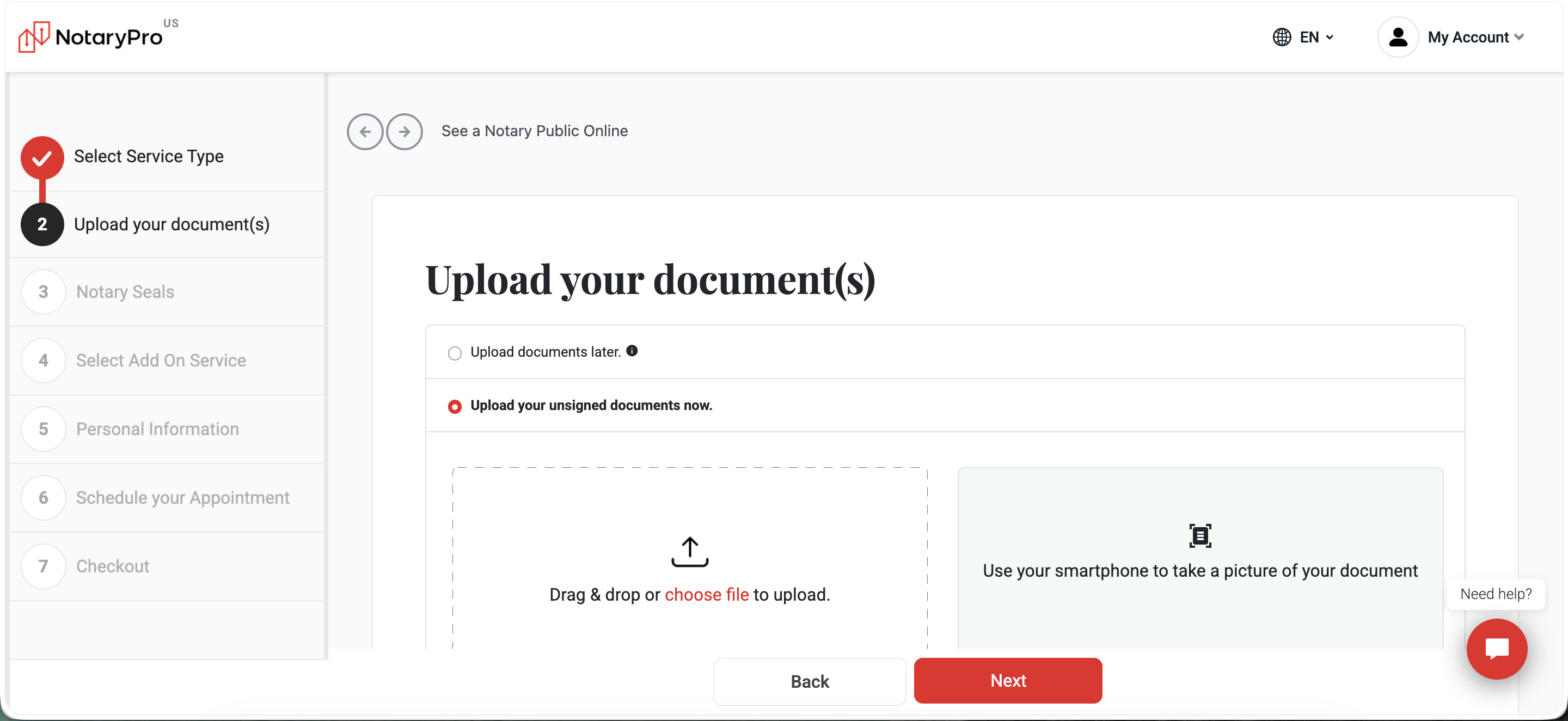
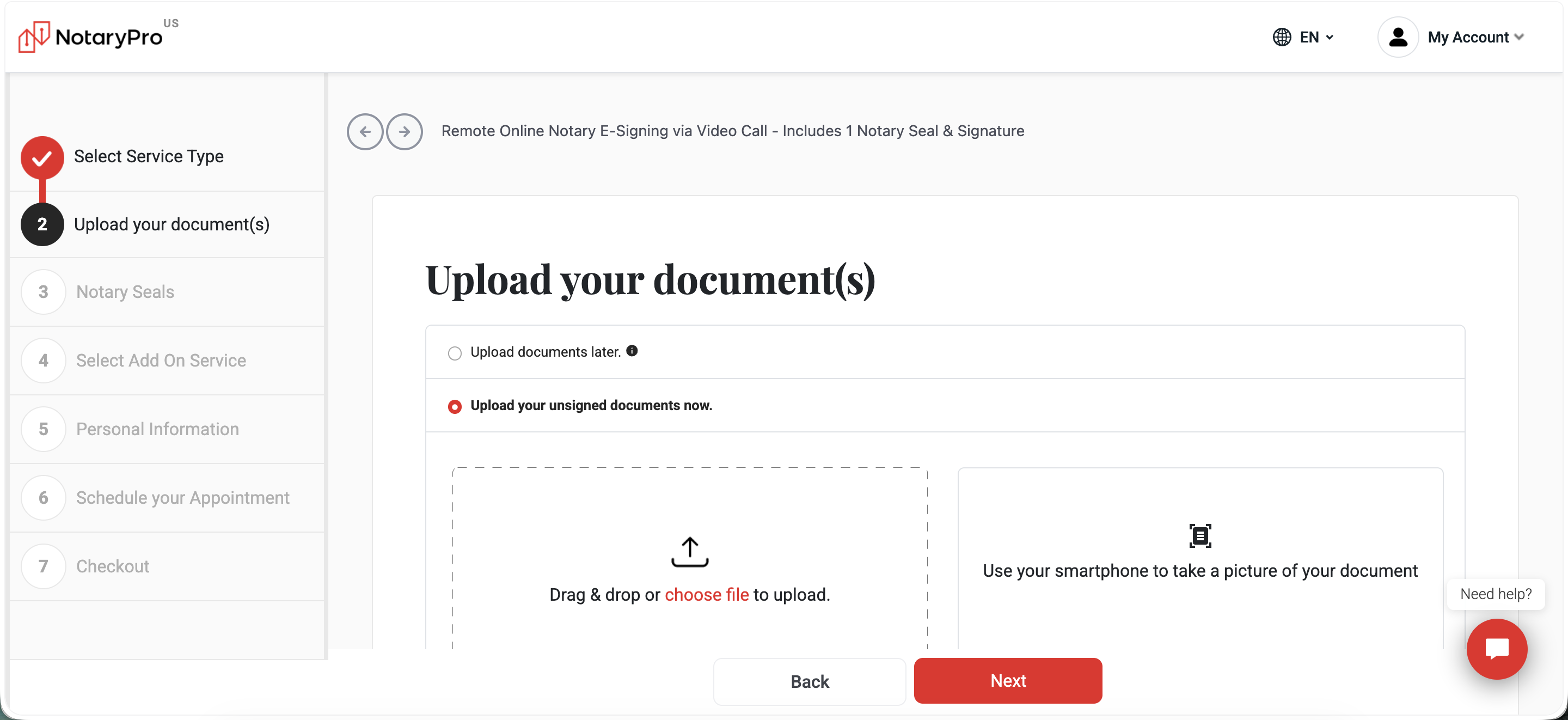
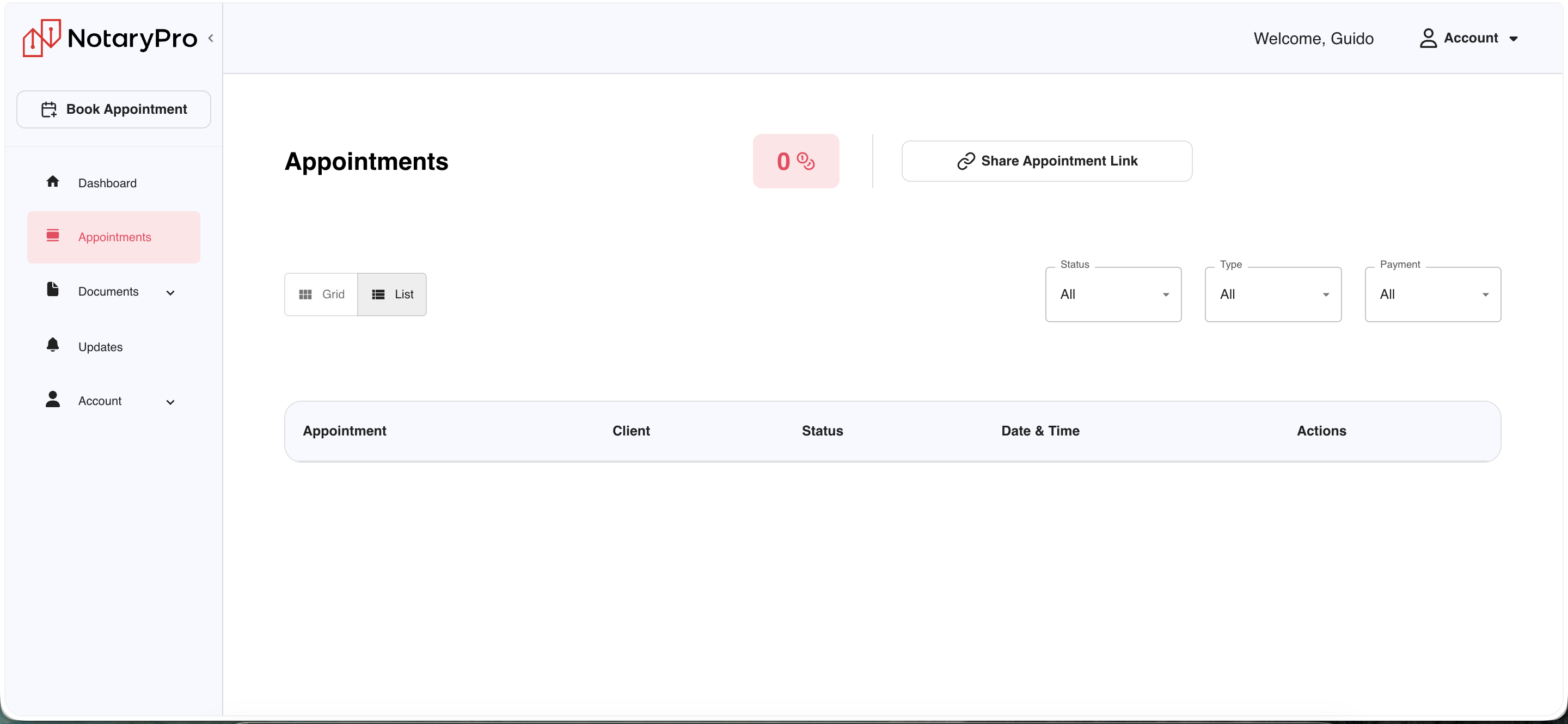
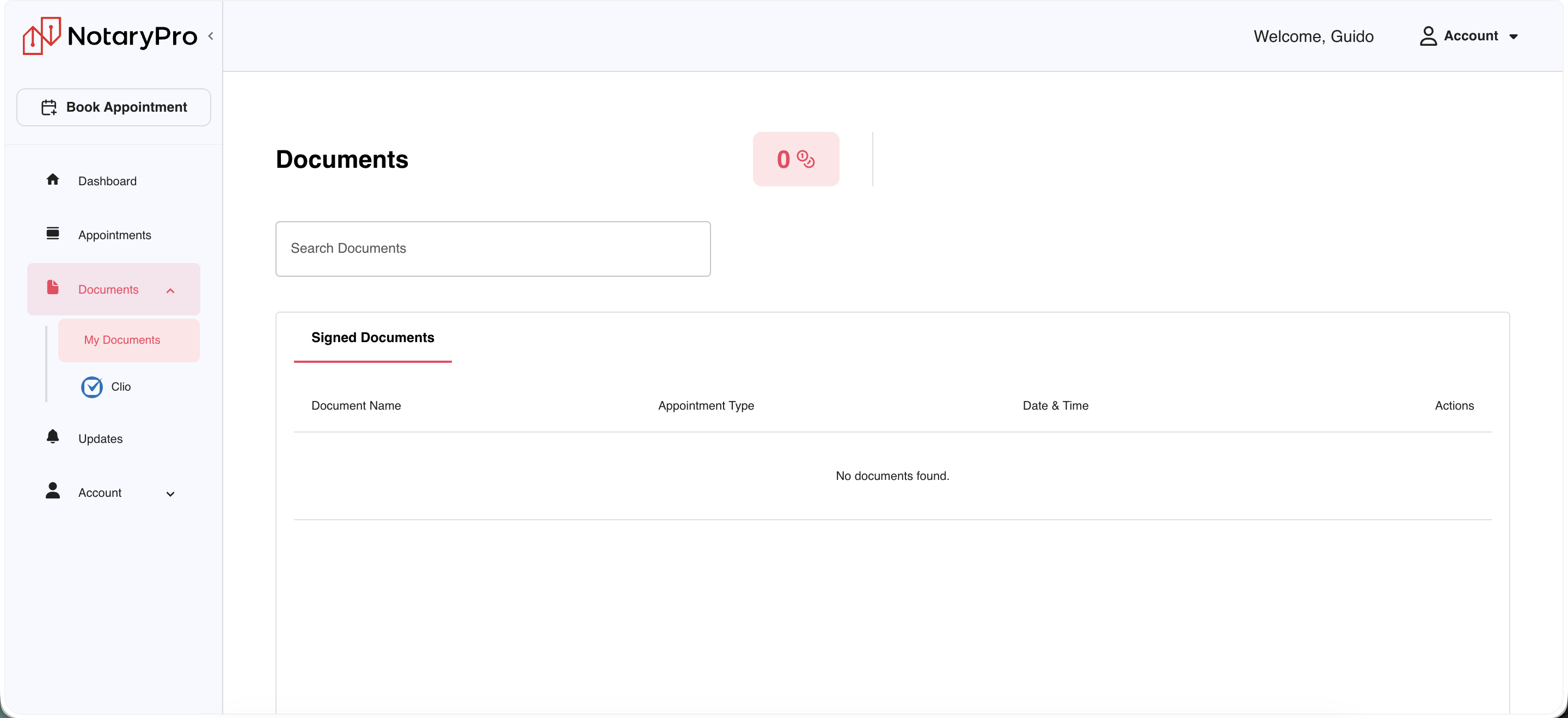
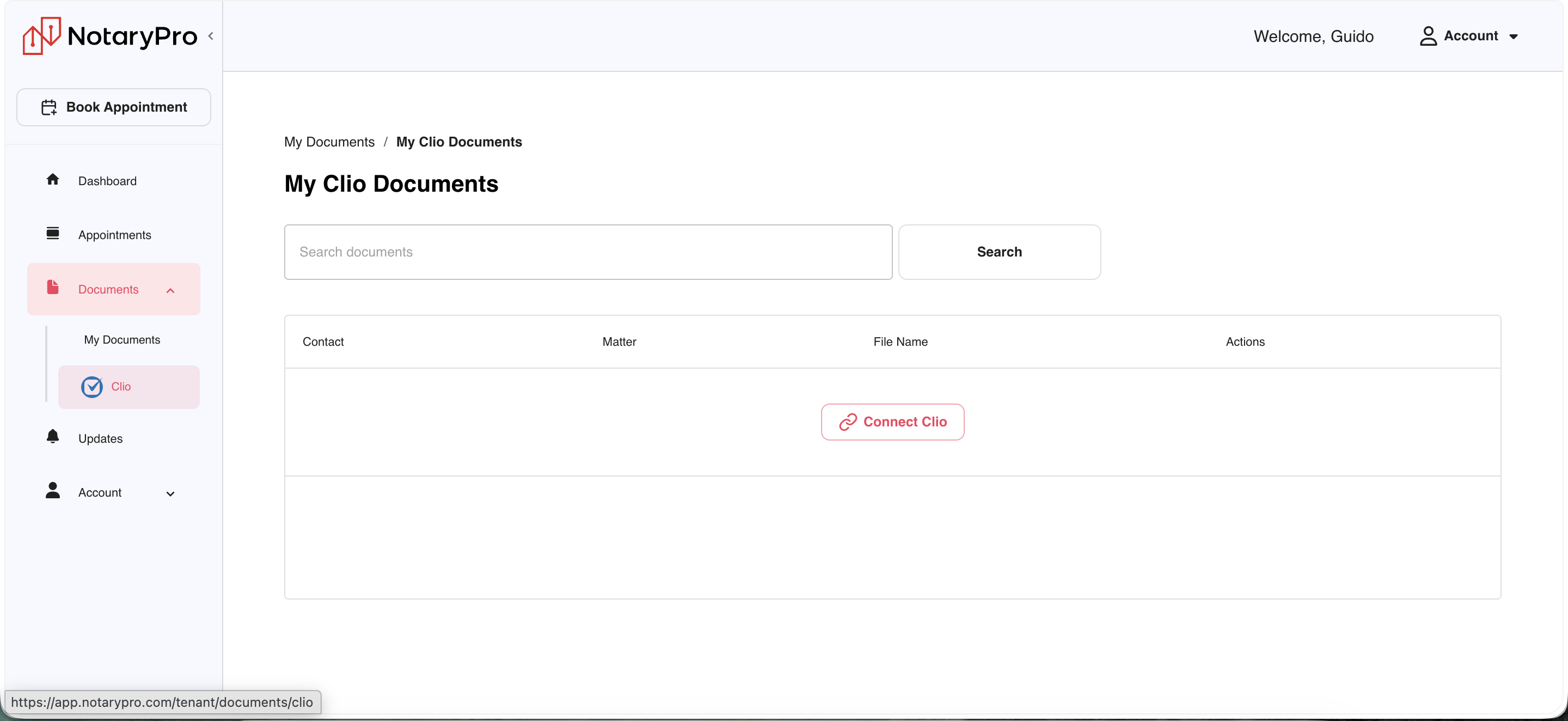
First actual walk of Client Workspace itself. Hosted at app.notarypro.com/tenant, with appointment booking spun out into a separate app at instant.notarypro.com. Screenshots below, not analysis yet.
Canada
Live walk of notarypro.ca, consumer flow only, no internal data. Same exercise as the United States teardown above, this time on home turf, seventeen screenshots below: twelve scrolling the homepage top to bottom, five walking the booking flow from “Tell Us a Bit About Yourself” through checkout.
Homepage, scrolled top to bottom


What I saw. The Canada homepage leads with speed and trust together, not price first the way the US site does. Hero copy is emotional (“A Notary Public you'll love!”) rather than transactional, and the Trustpilot badge (11,189 to 11,186 reviews depending on when the strip refreshed, live feed) shows up twice before any dollar figure appears. Pricing itself is tiered rather than the US's single flat number, $43.95 for standard notary or commissioner-of-oaths work, $79.95+ for specialized documents like separation agreements. The homepage also does something the US site doesn't: it surfaces the full “what we can and cannot notarize online” list directly in an accordion, no digging required, plus a dedicated FAQ answer confirming certified true copies need an in-person appointment.
Why it matters. A Dragons' Den appearance is a Canada-only trust asset, media credibility the US site has no equivalent for yet, and it's placed high enough to catch scroll-through traffic rather than buried in a press page. The eligibility accordion answers the single biggest pre-purchase question (can my document even be done online) before checkout instead of after, which plausibly contributes to why Canada converts meaningfully better than the US. Same pattern as the US site's tension though: pricing here is also fragmented across three tiers plus a business toggle, another self-serve page doing double duty for a one-time consumer and a repeat B2B buyer.
Booking flow: Tell Us a Bit About Yourself through checkout


What I saw. The Canada flow front-loads a short contact-info form (“Tell Us a Bit About Yourself”) before any document upload, the reverse order of the US site, which opens on upload first. Once inside the document flow, Skip & Upload Later is a persistent bottom-bar link on every step rather than a small inline link buried in step 1 the way the US flow shows it. Document Validation asks for city/province, signer count, and notary-seal count with a live thumbnail preview, useful friction that catches wrong uploads early. Choose Service defaults to the instant “See Notary Now” option (Popular tag, notaries online now) over scheduling, and the final total ($60.43 in this run, one document, Vancouver BC) only resolves at Review and Checkout, no running total shown earlier in the flow the way the US site displays one on every step.
Why it matters. Collecting contact info before document upload means NotaryPro captures a lead even if the person abandons before ever touching a file, a real difference from the US flow's document-first order. Not showing a running price until the final screen is the opposite tradeoff from the US flow's persistent total, worth testing head to head since price transparency was called out as a homepage strength on the US site but isn't carried through its own Canadian checkout.
The metric. Contact-capture rate on the “Tell Us a Bit About Yourself” step (leads captured even without a completed booking) compared against the US flow's equivalent early-funnel step, plus checkout abandonment rate on Review and Checkout now that the Canada flow only reveals total price there. If Canada's lead-first order captures meaningfully more partial signups than the US's document-first order, that's a concrete, testable piece of the conversion gap, separate from the legal/structural explanation already covered in Industry.
Results
- Trust-first homepage. Leads with speed and trust together, not price first, the Trustpilot badge appears twice before any dollar figure shows up.
- Tiered pricing. $43.95 for standard notary or commissioner-of-oaths work, $79.95+ for specialized documents, rather than the US's single flat number.
- Eligibility accordion up front. The full "what can and cannot be notarized online" list is surfaced directly on the homepage, no digging required, something the US site doesn't have.
- Dragons' Den trust asset. A Canada-only credibility signal placed high enough on the page to catch scroll-through traffic rather than buried on a press page.
- Contact info before upload. The booking flow front-loads contact info before document upload, the reverse order of the US site, capturing a lead even if the person abandons before touching a file.
- Persistent "Skip & Upload Later." Shown on every step, versus a small, easy-to-miss link buried on step 1 in the US flow.
- No running price until checkout. Choose Service defaults to the instant "See Notary Now" option, and no total shows until Review and Checkout, the opposite tradeoff from the US flow's persistent running total.
- Port the eligibility accordion to the US homepage. Hypothesis: pre-answering document-eligibility questions before checkout reduces bounce on documents that later turn out to be ineligible.
- A/B test lead-capture order. Contact info before upload (current Canada order) versus upload before contact info (current US order), measuring partial-signup capture rate, not just completed bookings.
- Add a persistent running total to Canada checkout. Matching the US site's pattern, hypothesis: showing price earlier reduces last-step abandonment on Review and Checkout.
Competitor Analysis
Six companies worth knowing cold, chosen to cover the two sides of NotaryPro's own positioning: consumer-facing RON platforms it competes with directly, and the enterprise/title-industry signing players relevant to the JD's "enterprise integrations and APIs" and "partner platform integrations" priorities.
NotaryCam
One of the longest-running consumer RON players, notarizing documents for signers in more than 140 countries via phone, tablet, or desktop. Closest direct comparison for NotaryPro's own consumer-facing RON flow. NotaryPro's own flow, in both the US and Canada teardowns above, never gates document upload behind an account, the walk below shows why that matters. SaaSHub.
Live walk of notarycam.com, consumer flow only, no internal data. Four screenshots below: homepage, the transaction-start page with its three service tiles, the full pricing for each tile, and what happens when a tile is actually clicked.


What I saw. NotaryCam forks the visitor into three separate priced products before they've done anything, Real Estate Closings ($199 starting), Notarize Now ($25 per seal), and Wills & Trusts ($175 per document), each with its own fee schedule. On paper this is textbook right segmentation, Monetizing Innovation's rule to segment by need and willingness to pay rather than demographics: a commodity buyer, a real-estate closing with genuinely higher WTP, and a wills-and-trusts buyer with different urgency and stakes are three real segments. But every path except one then hits a hard login wall, “Welcome to NotaryCam,” email and password required, before any document can even be uploaded. And the Wills & Trusts tile, the one segment where trust matters most, doesn't resolve at all, it 404s on a separate subdomain.
Why it matters. Hormozi's Value Equation (from the same pricing cluster) says value is Dream Outcome times Perceived Likelihood, divided by Time Delay and Effort & Sacrifice, and that the biggest, most defensible moat is reducing the bottom of that equation, making things immediate and effortless, not adding to the top. A forced account creation before a visitor has even seen the product, and a dead link on the highest-stakes tile, both inflate Effort & Sacrifice for zero gain in Dream Outcome. Compare this directly to both teardowns above: NotaryPro's US and Canada flows both let a visitor reach document upload, and in Canada's case a full price estimate, before any account is required. That's a real, concrete product advantage NotaryPro already has over one of its closest direct competitors, worth naming plainly if asked what NotaryPro does well.
The metric. First-session-to-account-creation-to-first-upload conversion, compared as a three-way benchmark: NotaryPro US, NotaryPro Canada, and NotaryCam (via a controlled test account, not live customer data). If NotaryCam's forced-login step is costing it real conversion the way the Value Equation predicts, that's the sharpest possible evidence for protecting NotaryPro's own low-friction entry point while fixing the US gap, rather than assuming more gates or more upfront tiering would help monetization.
Results
- Three priced products, chosen blind. Real Estate Closings ($199 starting), Notarize Now ($25 per seal), and Wills & Trusts ($175 per document), each with its own fee schedule, forked before the visitor understands what they need.
- Hard login wall before any work. Every path except one hits "Welcome to NotaryCam," email and password required, before any document can be uploaded.
- Dead link on the highest-stakes tile. Wills & Trusts, the segment where trust matters most, doesn't resolve at all, it 404s on a separate subdomain.
- NotaryPro already wins here. Both the US and Canada flows let a visitor reach document upload, and in Canada's case a full price estimate, before any account is required, a real protectable advantage.
- Protect, don't copy. Nothing to build here, this is a competitor gap to protect against. Flag internally: if US monetization work ever proposes gating document upload behind account creation, this teardown is the concrete counter-evidence for why that would move NotaryPro toward NotaryCam's weaker pattern, not away from it.
- Add a periodic dead-link sweep habit. A broken CTA on a $175 wills-and-trusts product is a real, visible trust signal, and it's the kind of finding that's easy to miss without an actual live walk like this one.
Proof (formerly Notarize)
The category's clear leader by scale. Raised a $130M Series D in March 2021 (CapitalG, Citi Ventures, Wells Fargo) at a $758M valuation, and the platform has since passed 5 million remote online notarizations across roughly 8,000 organizations. In March 2026 it partnered with Visa Ventures and IDEMIA Public Security on reusable, verifiable digital identity credentials, pushing further into identity infrastructure, not just notarization. This is the scale NotaryPro is chasing and the most obvious benchmark for "what does enterprise-grade RON look like." Sacra, Proof.
Live walk covering three connected properties: proof.com's marketing homepage, its pricing page, and notarize.com, the separately branded consumer site the homepage's "Notarize Now" banner actually routes to. No internal data. Thirty-six screenshots total across the sections below.
Hero and product mockups


What I saw. The hero doesn't show a document-upload screen the way NotaryPro's own hero implicitly promises, or the way NotaryCam's tiles do. It shows a live multi-party signing ceremony: two customers on video, a notary, a document with a signature panel, and a full Actions, Tools, Penholder Fields, and Notary Fields sidebar clearly built for whoever's running the session, not the person signing. Directly under the hero, a "Notarize Now" personal-document option is a secondary banner, "Not a business? Have a personal document you need notarized?", boxed off from the main flow. Everything from there down, time-restricted scheduling, an internal notary versus Notarize Network toggle, ID upload, a witness added mid-session, "Acme Title has sent you documents to notarize", is walked as a business sending documents out to be notarized, not a consumer notarizing their own.
Why it matters. This is the clearest possible visual evidence for what the Competitor Analysis section already names, Proof's scale and its drift upmarket. The product's own hero doesn't lead with the same-day, self-serve consumer entry point that both NotaryPro flows and NotaryCam use as their hero. It leads with a title-company workflow and treats individual consumers as a secondary path, one banner down. That's the opposite of NotaryPro's own homepage on both sides of the border, where reaching document upload is the default hero action and Business Solutions is the module set aside lower on the page. Proof has fully resolved the segmentation tension flagged in NotaryPro's own Competitor Analysis, just in the other direction, business first, consumer second. Worth having ready as a direct contrast to how NotaryPro currently handles that same tension.
Feature blocks, industries, and trust signals


What I saw. Four feature blurbs sit right under the hero flow: "Your notary or ours" (a business can keep its own notary team and overflow excess volume to the Notarize Network), "Compliant identity verification" (credential analysis, knowledge-based authentication, biometric comparison), "Witnesses available" (a notary can pull a witness from the network mid-session if the customer forgot to bring one), and "Custom branding" (white-label the whole platform). The NetLaw testimonial names the on-demand witness feature directly as the standout. Then a stat bar (99.99% uptime, sub-1-second wait, accepted in all 50 states, 24/7 365 days a year), then nine industry tiles across two screenshots (real estate, financial services, business contracts, legal and estate planning, insurance claims, and a catch-all "anything needing notarization" tile), backed by a scrolling tag cloud of specific document types.
Why it matters. On-demand witnessing solves a real, specific failure mode, a customer forgetting to bring a witness, that neither NotaryPro teardown shows a fix for anywhere in the US or Canada flows. Worth flagging as a concrete feature gap if partner integrations or Client Workspace come up. "Your notary or ours" is also a genuinely different model from anything NotaryPro currently offers: a hybrid where a business keeps its own notary team as the default and only overflows to the network under load, which maps directly onto the JD's "partner platform integrations" priority rather than NotaryPro's single-network model today. The sheer volume of trust and compliance signaling, four feature blocks and a nine-tile industries section before any pricing appears, is a lot of real estate spent convincing an institutional buyer this platform can be trusted with regulated volume, consistent with the identity-infrastructure drift already named above.
Compliance stack, content gate, and platform diagram


What I saw. "The most compliant notary platform" lists four claims, NIST IAL2 identity verification for every notary, background checks for Notarize Network notaries, the only platform issuing AATL-compliant digital certificates, and certification by WebTrust, Kantara, and MISMO, next to a mockup of the actual notary onboarding steps and a signature-validity panel confirming a signature's source of trust traces to the Adobe Approved Trust List. Below that, a gated "2026 Guide to Remote Online Notarization" report ("what 6.8 million transactions say"), a Trustpilot strip (24,497 reviews), and a diagram positioning Notarize as one of seven modules on the Proof platform (Notarize, Sign, Identify, Verify, Certify, Close, plus a cross-platform Defend fraud-detection layer and a separate Command Center), then a repeated certification row (SOC 2, IAL2, MISMO, WCAG Level AA, WebTrust), three resource cards, and a footer with Products, Pricing, Industries, About, and Resources columns. At no point across all sixteen screenshots does a dollar figure appear anywhere on the page.
Why it matters. The platform diagram is the single clearest piece of evidence for the "Proof's drift upmarket toward Visa/IDEMIA identity infrastructure" line already established above, notarization is explicitly one block among seven, not the product. Zero visible pricing across a sixteen-screenshot walk is the sharpest possible contrast with both NotaryPro teardowns above, the US homepage leads with "$25, in minutes," and Canada shows a three-tier pricing table on its own homepage. Proof has fully replaced price-led conversion with trust-and-compliance-led lead capture, the gated guide, Talk to Sales, Get Proof, consistent with an enterprise, not consumer, sales motion. The 24,497 Trustpilot reviews are also worth having as a scale comparator, more than double NotaryPro Canada's roughly 11,000.
Pricing page (proof.com/pricing)
Clicking Get Proof from the homepage lands here, not on a checkout flow. Eight screenshots below, three segment toggles: For Businesses (default), For Real Estate Title, and For Mortgages, each with its own Pro/Premium/Enterprise structure.


What I saw. There is no individual-consumer plan anywhere on this page. All three toggles (Businesses, Real Estate Title, Mortgages) are segmented by business type and size, never by "just one document." Even the cheapest, most self-serve tier, Pro, under the general Businesses toggle, is explicitly labeled "for small businesses getting started" and "designed for teams sending up to 25 transactions per month," priced as unbundled per-service line items, $25 to notarize plus $10 per additional seal or on-demand witness plus $5 per additional signer, $4 per signer to identify, $4 per transaction to sign, rather than one flat consumer price the way NotaryPro's $25 headline works. Real Estate Title reprices the identical Pro/Premium/Enterprise structure per meeting instead of per document ($99, $150, or $35 depending on closing type), a real, deliberate willingness-to-pay segmentation, not just a relabel. Mortgages drops the self-serve tier entirely, one option, Lender Premium, Custom Pricing, Contact Sales only, no number shown at all.
Why it matters, directly answering the confusion. This page confirms Proof is built for businesses first at this URL, and the pricing page has no individual tier of its own. Confirmed below, see The consumer entry point: notarize.com, the "Notarize Now" personal-document banner from the homepage doesn't route to a checkout hidden inside this page, it routes to an entirely separate branded site with its own $25-first-seal pricing table. So the accurate read isn't "Proof has no consumer offer," it's "Proof runs two brands, and proof.com specifically, the one this pricing page lives on, is 100% business-segmented." Proof's Pro tier here "starts" at the same $25 seal fee NotaryPro and notarize.com both charge, but stacks $4 identify and $4 sign fees on top by default, and is gated behind "sign up for an account," a real business, not "notarize my one document right now." Combined with the platform diagram from the marketing walk above (Notarize as one of seven modules), the picture is consistent: proof.com monetizes as enterprise SaaS with notarization as a line item, notarize.com monetizes as a self-serve consumer transaction, and NotaryPro currently tries to be both on one homepage.
The consumer entry point: notarize.com
The "Notarize Now" personal-document banner on the proof.com homepage does route somewhere, it just isn't on proof.com. It goes to notarize.com, a separately branded consumer site (own hero, own nav, own pricing table), which is the missing piece from the Pricing page section above. Twelve screenshots below, homepage top to bottom, then what happens after clicking Notarize Now.


What I saw. notarize.com is a full second brand, not a subpage: its own hero ("Notarize online. Anywhere. Anytime."), its own nav (Solutions, Pricing, Forms, Resources), and its own individual pricing table, $25 for the first notary seal, $15 for each additional seal, $15 for each on-demand witness, $10 for each additional signer, no account creation required to see it or to start uploading. Below that sits a two-sided marketplace pitch aimed at notaries themselves, "For Notaries" (join the network, $5 for a basic notarization, $25 for a real estate closing, available in five states) and a separate "Serve your customers and grow your business" pitch aimed at notary agencies wanting to run their own book of business on Notarize's rails ($10 per notarization plus $3 per additional seal, set your own customer pricing, keep the rest). A full state-coverage map and a "#1 Rated Online Notary Service" Trustpilot section (24,497 reviews, 4.6/5, matching the count on proof.com) close out the page. Clicking Notarize Now lands on an actual upload screen, Proof-branded this time, price starts at $25, a plain drag-and-drop zone, and Sign in as a link, not a gate.
Why it matters. This resolves the open question from the Pricing page section above cleanly: Proof runs two brands for two segments rather than blending them the way NotaryPro's own homepage tries to. notarize.com is the self-serve, no-account, individual-consumer entry point, proof.com is the sales-led, tiered, business-only entry point, and the marketing site's "Notarize Now" banner is simply a handoff between them. That's a materially different structure from NotaryPro, where consumer and business paths live on the same homepage and compete for the same scroll. It's also a genuinely different, three-sided model worth naming on its own: notarize.com recruits and pays notaries directly ($5 to $25 per session) in addition to selling to consumers and to notary agencies, a supply-side acquisition channel NotaryPro's own teardowns don't show any equivalent for. One inconsistency worth flagging rather than over-reading: notarize.com's add-on pricing ($15 additional seal, $15 on-demand witness) doesn't match proof.com's Pro-tier add-on pricing ($10 additional seal, $10 on-demand witness) for what reads like the same underlying service, two live, different price sheets for the same company.
Completing the flow: upload through identity verification
Uploading a real test document from notarize.com's entry screen resolves to app.proof.com/signup/upload, a shared backend platform under the Proof domain, not notarize.com. Four screenshots below, in order: email capture, signer name and multi-signer choice, document fill-out, and identity verification via SSN/ITIN.


What I saw. The flow asks for email before anything else (with Google SSO offered as a one-click alternative to a full account, not a hard email/password wall), catches a common upload mistake immediately (one-page-only uploads flagged with a specific warning about needing the full document, not just the signature page), collects the signer's legal name and whether it's a solo or multi-signer session, lets the signer pre-fill form fields on the actual document before the live notary session starts, and finally asks for date of birth plus the last four digits of an SSN or ITIN (with an explicit opt-out and a "we never store this" reassurance) to verify identity. No credit card or payment step was reached in this walk.
Why it matters. This is a materially heavier verification step than either NotaryPro flow shows in the US or Canada teardowns above, an SSN/ITIN request is a real trust ask, not just an ID photo, and it's the kind of moment where a weaker trust signal earlier in the funnel (price-first, certainty-light, as the US site was already diagnosed) would plausibly cost more drop-off than it would on a page that had already spent real estate on compliance and background-check messaging the way proof.com's marketing site does. The document pre-fill step (screenshot 3) is also a concrete feature neither NotaryPro teardown shows, letting the signer do data entry before the clock starts on a live, paid notary session, worth testing on its own. And confirming the URL lands on app.proof.com rather than staying on notarize.com closes the loop from the prior section: notarize.com and proof.com are separate marketing brands sitting on one shared product and signup platform, not two different products underneath.
The metric. This walk now covers upload, email capture, signer identification, document pre-fill, and identity verification (SSN/ITIN), the deepest funnel view of any competitor in this file. Only the final payment/checkout screen and the live notary connection remain unseen, stopped here by design rather than by a dead end. If a future session gets a screenshot of that last screen, the useful metric to capture is total step count and total information asked for before payment, compared step-for-step against NotaryPro's own four-step US flow and five-step Canada flow above, since Proof's flow already runs longer (five screens shown here) before even reaching a price confirmation.
Results
- Business-first hero. Shows a live multi-party signing ceremony, not a document-upload screen, the consumer path is a secondary banner one scroll down.
- On-demand witness. A notary can pull a witness from the network mid-session, a real feature gap neither NotaryPro flow covers.
- "Your notary or ours" hybrid model. A business keeps its own notary team as the default and only overflows to the network under load, no NotaryPro equivalent exists today.
- Heavy compliance and trust stacking. Four feature blocks plus nine industry tiles plus certifications, all before any pricing appears, aimed squarely at institutional buyers.
- Platform diagram confirms identity drift. Notarize is shown as one of seven modules (Notarize, Sign, Identify, Verify, Certify, Close, Defend), not the product itself.
- Zero pricing on the marketing site. No dollar figure appears anywhere across sixteen marketing screenshots, the opposite of NotaryPro's price-led homepages.
- Pricing page is 100% business-segmented. Businesses, Real Estate Title, Mortgages, no individual-consumer tier exists on proof.com/pricing at all.
- notarize.com is the real consumer entry point. A separate branded site, own hero, own $25-first-seal pricing, no account required to start uploading.
- Heavier identity verification, plus a pre-fill feature. Asks for date of birth and the last four digits of an SSN or ITIN before reaching a notary, but also lets the signer pre-fill the document before the paid session starts.
- One shared backend, two brands. Both proof.com and notarize.com resolve to app.proof.com at signup, confirming one product underneath two marketing brands.
- Consider a "your notary or ours" option for Client Workspace. A business keeps its own notary team as the default and only overflows to the Notarize Network under load, hypothesis: lowers switching cost for a business with in-house notaries that wants overflow capacity.
- Add an on-demand witness option. Inside the existing booking flow, both US and Canada, hypothesis: recovers sessions that would otherwise fail or need rescheduling because a customer forgot to bring a witness.
- Test a compliance and trust module on the US homepage. Background-checked notaries, identity verification standard, certifications, positioned above the fold, without changing the price-led hero itself.
- Open question, not a simple gap: one brand or two. Proof splits consumer and business onto two separate branded properties while NotaryPro serves both from one homepage. Worth raising if prioritization comes up, not an obvious answer either way.
- Test a document pre-fill step. Let a signer fill text/initial/date fields on the actual document before the live notary session starts, the way Proof's flow does. Hypothesis: shortens paid session time and reduces in-session friction.
Others
DocVerify.
Owned by ICE Mortgage Technology (formerly Black Knight), bundling eSign, eClosing, and RON on one platform. No live teardown, research only, based on public pricing and product pages.
- Owned by a mortgage-tech giant, mortgage-first roadmap. Part of the broader ICE mortgage stack and integrates with Pavaso and Nexsys, positioning skews mortgage and title, not general consumer.
- RON is billed on top of eSign, not a simple flat fee. Business and Enterprise eSign plans run $24 to $65 per user per month, RON sessions are additional per-envelope fees starting around $10.
- Wins through integrations, not brand. Growth comes from plugging into existing title-production systems rather than a strong consumer-facing homepage, unlike NotaryPro's brand-led approach.
- Test a discovery or integrations page for the enterprise product. DocVerify leads with "integrates with X, Y, Z", a similar page could reach title and mortgage software buyers without a full sales conversation.
- Watch this one on the enterprise side, not the consumer side. If NotaryPro leans further into construction, legal, or financial-services integrations, DocVerify's ICE ownership shows how far a mortgage-tech acquirer could take a similar company.
OneNotary.
Enterprise-grade RON platform and, notably, an on-demand notarization supplier for other providers. No live teardown, research only, based on public pricing and product pages.
- Same flat $25 per-seal price as Proof's consumer entry. Additional seals are $10 each, nearly identical structure to notarize.com and to NotaryPro's own consumer pricing.
- Positions as the on-demand backend for other RON providers. Reportedly powers notarization for platforms like DocuSign Notary, a supplier role rather than a standalone consumer brand.
- Lighter compliance and fraud-detection depth than the enterprise players. Reviews describe it as practical for individuals and small businesses, not built for the same audit rigor as Proof or DocVerify.
- Confirms $25 flat-fee is a market norm, not a NotaryPro innovation. Useful context if pricing strategy comes up, matching the norm is not differentiation, undercutting or bundling would be.
- Consider a white-label notarization layer for other platforms. The way OneNotary supplies DocuSign Notary, a possible B2B revenue line beyond the direct consumer and enterprise workspace products.
Snapdocs.
A full mortgage-closing platform built around eClosing, eVault, and notary scheduling, not a RON point solution. No live teardown, research only, based on public product and news pages.
- Much wider product than "notarize a document." eClosing, eVault and eNote management, AI-assisted document prep and error-checking, and notary scheduling across a nationwide signing-agent network.
- Actively expanding into adjacent workflows. Funding and post-close QC, trailing document management, and CD balancing launched or launch across 2025 into early 2026, a land-and-expand strategy across the whole closing lifecycle.
- Recently moved into the secondary mortgage market. A 2025 partnership with BNY pairs Snapdocs' eVault and document intelligence with BNY's custody capabilities, a step beyond closing into loan servicing and secondary markets.
- Not a direct threat today, but a ceiling worth watching. If NotaryPro's enterprise roadmap ever pushes toward full closing workflows, not just the notarization step, Snapdocs shows how far that category can be expanded.
- Notary scheduling network is the one feature worth studying closely. Snapdocs' nationwide signing-agent sourcing and scheduling is closer to NotaryPro's own notary-network model than anything else in this list.
Pavaso.
A digital mortgage closing platform used by lenders, settlement agents, and notaries, supporting IPEN, RON, and RIN closing methods in one place. No live teardown, research only, based on public product pages.
- Supports three closing methods on one platform, where each is legally permitted. Lets a lender or title company pick the right method per state or deal rather than switching vendors.
- Central hub model for all closing parties. Realtor, lender, title/settlement agent, and borrower all work from one shared digital location, with document tagging, templates, and a MERS-certified eVault for finished packages.
- DocVerify integration confirms the wider mortgage-tech overlap. Pavaso and DocVerify already partner, a reminder that these competitors are not fully separate companies but a connected mortgage-tech stack.
- Multi-party workflow coordination is the feature worth borrowing. Not the notarization step itself, a single shared view for all closing parties could be a meaningful addition to NotaryPro's enterprise Client Workspace product.
- Useful context for the "why is there no real prioritization process" conversation. Pavaso's method-flexible approach is a reminder that state-by-state legislation shapes which closing method a competitor can even offer, not just NotaryPro's US-versus-Canada gap.